Symlinks is the definitive system utility for Mac power users who need total control over their file structures, symlinks, and aliases. Whether you are offloading massive audio sample libraries, managing complex developer environments, or just trying to reclaim gigabytes of disk space, Symlinks handles the heavy lifting safely and seamlessly.
Stop manually tracking down broken links. Symlinks actively monitors your linked items and repairs them, ensuring your ecosystem never skips a beat.
Core Features:
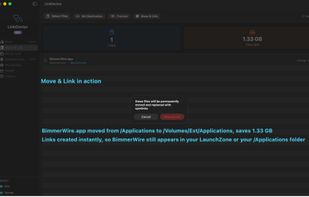
Move & Link: Instantly move massive files or heavy applications to an external drive, leaving a perfectly functioning symlink in its place. Save space on your main drive while keeping everything accessible exactly where it belongs.
Smart Link Directories: The ultimate structural tool. Create mirrored directories where the folders are real, but the files inside are lightweight links. Perfect for organizing complex projects without duplicating data. ( If you've used 'lndir' before, you know what we're talking about! )
Bidirectional Conversion: Seamlessly convert a regular symlink directory into a "Linked Directory" (real folders, linked files) and back again with a single click.
Active Auto-Updating: Move or modify a source file? Link Doctor knows. The app intelligently detects changes to source files and automatically updates your links to point to the correct data, preventing the dreaded "broken link" dead end. Uses 0% CPU while in the background and monitoring is enabled!
Deep Diagnostics: Quickly scan your system to isolate, verify, and repair broken aliases and symlinks before they disrupt your workflow.
Reclaim your storage and bulletproof your file system. Let Symlinks handle the connections.







 The Void added Symlinks as alternative to Symlinker, Link Shell Extension, Symlink Creator, Directory Linker (DirLinker) and 1 more

 Inspirationull

No comments or reviews, maybe you want to be first?