Swiftflip icon
Swiftflip icon

Swiftflip

 Like

Spaced repetition flashcard app for iPhone, iPad, Mac and Apple Watch that imports Anki decks and syncs through your own iCloud with no account.
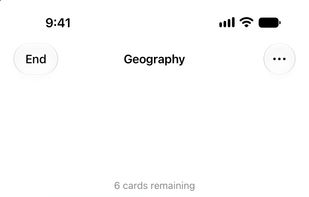
Practice on iPhone

Cost / License

  • Freemium (Pay once or Subscription)
  • Proprietary

Application type

Since

  • Since 2025

Platforms

  • Mac
  • iPhone
  • iPad
  • Apple Watch
0likes
0articles
Save

Features

Properties

Features

Highlights All activities

Swiftflip News & Activities

Recent activities

Swiftflip information

  • Developed by

    SE flagHK Softworks
  • First released

    2025
  • Licensing

    Proprietary and Freemium product.
  • Pricing

    One time purchase that costs $100, and / or subscription that costs $6 per month + free version with limited functionality.
  • Alternatives

    2 alternatives listed
  • Badge

    Get an embeddable badge for Swiftflip
  • Supported Languages

    • English
    • Swedish

AlternativeTo Category

Education & Reference

Popular alternatives

View all
Swiftflip was added to AlternativeTo by hksw on and this page was last updated .

No comments or reviews, maybe you want to be first?

Official Links

What is Swiftflip?

Swiftflip is a native flashcard app for iPhone, iPad, Mac and Apple Watch. It schedules every card with spaced repetition, so a card comes back shortly before you would forget it.

Unlimited decks and cards are free. There is no account, no ads and no tracking. Cards sync through your own iCloud across all four devices.

Cards and practice

  • Put text, a picture and audio on each side of a card.
  • Mark each answer as one you knew or one you did not. Two grades keep practice quick, and the same swipe works on Apple Watch.
  • Practice a deck in both directions, with separate progress for each.
  • Build a custom session by deck, order, size and focus, or pause a card or deck you are not studying.

Moving from another app

  • Import Anki packages (.apkg and .colpkg). Review progress and due dates come across when Anki's data is complete.
  • Import and export CSV files.
  • Export a Swiftflip archive as a backup. Automatic Backups also save a copy on the device every week.

On Apple devices

  • An Apple Watch app for due cards, with a watch-face complication.
  • Home Screen, Lock Screen and Mac desktop widgets.
  • Siri and Shortcuts actions, Spotlight search and a Share Extension for making cards from other apps.
  • On the Mac, keyboard shortcuts for practice and a full menu bar.

Premium (optional, as a monthly or yearly subscription or a one-time lifetime purchase)

  • Smart Decks that fill from rules you set.
  • Folders and custom icons.
  • Full Insights, including retention trends, your hardest cards and upcoming reviews.
  • AI card generation from a topic or your own files and photos. It asks before first use and sends the topic, notes, photos, instructions and card text you give it to Swiftflip's Cloud AI, which uses a third-party model to write the cards. Available on iPhone, iPad and Mac with macOS 27 or later.

Scheduling uses Swiftflip's own algorithm, inspired by FSRS-5. Its intervals will not match Anki's.