


SuperPlanner
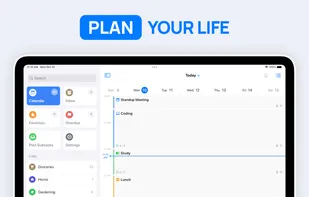
SuperPlanner is a visual day planner that combines your calendar with task management.
You create blocks of time in your day, and assign tasks to complete. Each activity has its time allocated, allowing you to focus without distractions.
Cost / License
- Freemium (Pay once or Subscription)
- Proprietary
Platforms
- Mac
- iPhone
- iPad


SuperPlanner
Features
Properties
- Support for Themes
- Privacy focused
- Lightweight
- Distraction-free
Features
- Ad-free
- Subtasks
- Task Time Tracking
- No registration required
- Recurring Tasks
 Sync with Google Calendar
- Calendar View
- Reminders
- Full-Text Search
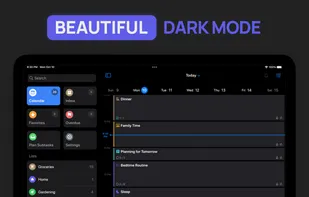
- Dark Mode
- Cloud Sync
- Hierarchical Structure
- No Tracking
- Works Offline
- No Coding Required
- Goal Tracking
- Goal Setting
- Calendar Integration
- Planner
Tags
- tasks
- time-management
- Productivity Tool
- task-planner
SuperPlanner News & Activities
Recent activities
SuperPlanner information
What is SuperPlanner?
Take control of your day and achieve your goals with Super Planner.
Super Planner is a day planner that allows you to plan your day and focus using time blocking.
With built-in calendar and task management features, you can easily organize your activities, calendar events, and tasks in one convenient daily planner. The user-friendly interface and powerful features make it easy to stay organized and on top of your schedule.
As a schedule planner, it combines an agenda and organizer to help you boost your productivity and manage your routine. The visual timeline and time blocking features help you stay focused and avoid procrastination.
You'll have the tools you need to stay organized and productive, no matter how busy your schedule may be. You can even set reminders for important activities, calendar events and tasks, so you never forget anything important.
The app is perfect for people with ADHD, as it provides a comprehensive view of your entire day. You can see how your activities and appointments fit into your daily schedule, helping you avoid conflicts and manage your time more effectively.
FULLY FEATURED:
Super Planner offers a comprehensive set of features to help you manage your day. It supports activities, calendar events, and tasks, as well as repetition rules and lists.
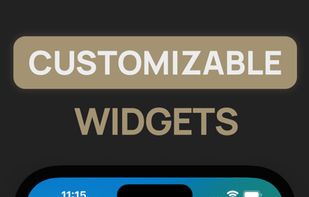
You can also customize your digital planner with colors, icons, and themes to suit your preferences. Plus, it offers notifications, widgets and other helpful features to keep you organized and on track.
PRIVACY FOCUSED:
Super Planner is designed with privacy in mind. No login or authentication is required, and your data is securely synced across all your devices using iCloud
