StudioZIO Tempo Delay icon

StudioZIO Tempo Delay

A free tempo-synced stereo delay for macOS whose left and right delay lines run on fully independent buffers and note divisions.
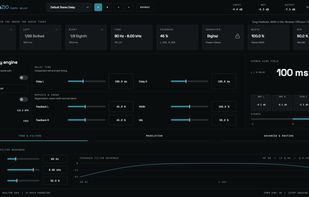
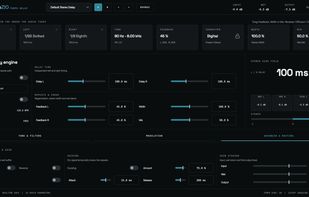
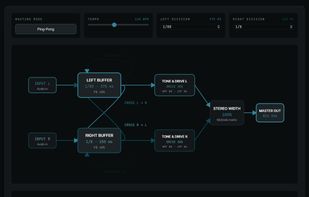
The main window: independent left and right delay lines with their own note divisions, feedback shaping and the routing view.

Cost / License

  • Free
  • Proprietary

Platforms

  • Mac  macOS 12 or newer. Apple Silicon (arm64) only — there is no Intel build. Plug-in formats: Audio Unit (AU), VST3 and Standalone. Installed from a signed, notarized .pkg.
StudioZIO Tempo Delay screenshot 1
StudioZIO Tempo Delay screenshot 2
0likes
0alternatives
0articles

Features

  1.  Sound Effects

StudioZIO Tempo Delay News & Activities

Highlights All activities

Recent activities

StudioZIO Tempo Delay information

StudioZIO Tempo Delay was added to AlternativeTo by Mert Erkan on and this page was last updated .
No comments or reviews, maybe you want to be first?

Featured in Lists

Audio plug-ins for macOS that are genuinely free. Not trials, not time-limited demos. Not cut-down versions of a paid...

List by Mert Erkan with 15 apps, updated

Official Links

What is StudioZIO Tempo Delay?

StudioZIO Tempo Delay is a free tempo-synced stereo delay plug-in for macOS from StudioZIO, an independent one-person developer.

Its organising idea is that the left and right delay lines are genuinely independent rather than one stereo delay time with a spread or offset control. Each side has its own buffer and its own note division, so the two channels can sit on different rhythmic values against the same host tempo — a dotted eighth on one side against a quarter on the other, for example — instead of being two copies of one setting.

Around that core: cross-channel ping-pong routing, high-pass and low-pass filters together with a soft-clipping saturation stage placed inside the feedback loop so repeats degrade musically rather than simply getting quieter, three character voicings, LFO modulation, ducking that pulls the repeats down while the dry signal is playing, and a mid/side width control.

There are 32 automatable parameters with stable identifiers, so automation and presets survive version changes, and the plug-in reports 0 samples of latency.

Formats: Audio Unit (AU), VST3 and Standalone. Apple Silicon (arm64) only, macOS 12 or newer.

The plug-in is permanently free — not a trial, not time-limited, not feature-limited, and not a reduced version of a paid tier. It installs from a Developer ID signed and Apple notarized package with no user account, no iLok, and no email registration.

Limitations, stated plainly: this is a macOS-only product with no build for any other operating system, and unlike its companion product it has no Intel build, so it requires an Apple Silicon Mac.