





Stringout
1 like
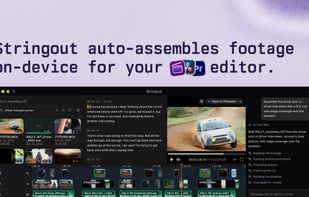
Stringout uses Private AI to organize footage on your drives, find the right moments, and assemble timelines for video editors.

Cost / License
- Freemium (Subscription)
- Proprietary
Application type
Platforms
- Mac
- Windows
- Linux
- Online


Features
Highlights All activities
Stringout News & Activities
Recent activities
 SceneSearch added Stringout as alternative to SceneSearch
- Theo Pak updated Stringout
 Theo Pak added Stringout as alternative to Focus Video Search, Kyno, Disko.media, CatDV and 1 more
- Theo Pak liked Stringout
- Theo Pak added Stringout
- Theo Pak updated Stringout
- Theo Pak updated Stringout
 Theo Pak added Stringout as alternative to Descript, Palmier Pro, Smart Media Cutter, FableCut and 1 more


Developed by
 Stringout Software LLC
 Licensing
Proprietary and Freemium product.Pricing
Subscription that costs $24 per month + free version with limited functionality.Alternatives
11 alternatives listedBadge
Get an embeddable badge for StringoutSupported Languages


No comments or reviews, maybe you want to be first?