
Stemquill icon
Stemquill icon

Stemquill

 1 like

Stemquill is a desktop app that converts audio stems into MIDI files. It listens to a drum, bass, vocal, guitar, keys or synth stem and writes the notes it hears as a MIDI file you can drag into any DAW and play through your own instruments.
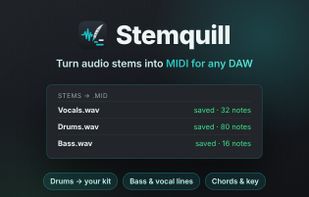
Stemquill screenshot 1

Cost / License

  • Pay once
  • Proprietary

Application type

Since

  • New

GitHub

  • GitHub stars: 1

Platforms

  • Windows
  • Mac
  • Linux
1like
0articles
Save

Features

Features

Highlights All activities

Stemquill News & Activities

Recent activities

Stemquill information

AlternativeTo Category

Audio & Music

GitHub repository

  •  1 Star
  •  0 Forks
  •  0 Open Issues
  •   Updated  
Stemquill was added to AlternativeTo by Skynr Labs on and this page was last updated .

No comments or reviews, maybe you want to be first?

Official Links

What is Stemquill?

Stemquill is a desktop app that converts audio stems into MIDI files. It listens to a drum, bass, vocal, guitar, keys or synth stem and writes the notes it hears as a MIDI file you can drag into any DAW and play through your own instruments.

It’s designed for stems from AI music generators and stem separators such as Suno. It reads the stem’s file name to pick the right type and a matching instrument, and it corrects slightly off-pitch vocals so they come out as the notes that were sung.

Main features:

  • Drum detection for kick, snare, closed and open hi-hat, toms, crash and ride, with drum maps for General MIDI, FL
  • Studio FPC, Ableton Drum Rack, MPC or custom notes
  • Bass and vocals as single notes; guitar, keys and synths as chords, with chord names as markers on the timeline
  • Tempo, key and time signature detection, with optional snap to key and snap to grid
  • Per-stem sensitivity and humanize settings
  • Preview with built-in sounds before saving
  • One MIDI file for the whole song, with each stem on its own track
  • Drag and drop for stems or whole folders, and a command line on Linux
  • Runs fully offline on your computer; audio is never uploaded

The MIDI it produces is a starting point for editing, so some notes may need fixing by hand.