


Steam Link / Steam Remote Play
Extend your Steam gaming experience to your mobile device, TV, VR headset or PC, also works for non-gaming stuff like controlling the desktop.

Cost / License
- Free
- Proprietary
Application type
Platforms
- Linux
- Android
- iPhone
- Android Tablet
- iPad
- Apple TV
- Flathub
- Steam
- Windows
- Mac
- Raspberry Pi
- Meta Quest
- Android TV


Features
Properties
- Lightweight
- Privacy focused
Features
- Screen Sharing
- Dark Mode
- Ad-free
- Desktop Sharing
- Cloud Sync
- Support for Multiple Monitors
- Wake on LAN
- Unattended Access
- Real time collaboration
- Game Streaming
- Cloud Gaming
- Remote Audio
- VR support
- Remote Support
- Local network streaming
- Local Network Connection
Steam Link / Steam Remote Play News & Activities
Recent News
- Maoholguin published news article about Steam
 Steam announces new Steam Machine running SteamOS to compete in the console gaming market
In a surprising move, Valve has just announced three new hardware devices expanding its lineup beyo...
- Maoholguin published news article about Steam Link / Steam Remote Play
 Valve launches Steam Link for Meta Quest VR, allowing users to stream their game library
Valve has introduced its Steam Link / Steam Remote Play app for Meta Quest 2, 3, and Pro headsets, ...


Recent activities
 YangKyle1024 added Steam Link / Steam Remote Play as alternative to Looking Glass
- babsors liked Steam Link / Steam Remote Play
- Kezxo added Remote Audio as a feature to Steam Link / Steam Remote Play

Featured in Lists
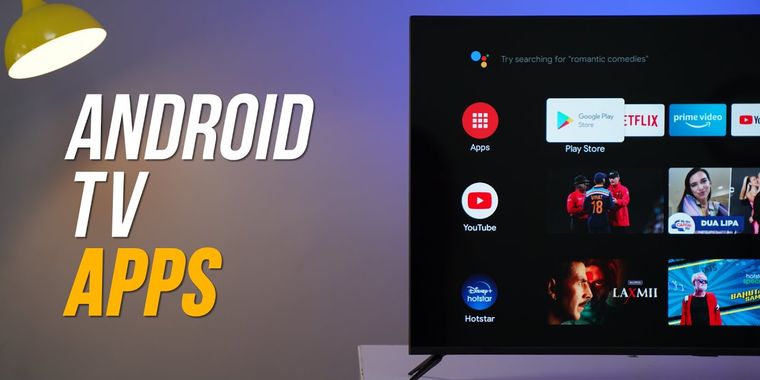
If you are on Android TV here is some apps to upgrade to a better experience, from launcher to stores, tools from …

A list with 307 apps by AmileyaRyver without a description.

This is just a list of the software products I use
What is Steam Link / Steam Remote Play?
The Steam Link app is free and available for all major devices and platforms.
- Windows, macOS, Linux
- Apple iPhone, iPad, and Apple TV
- Android TV, Tablets, and Phones
- Raspberry Pi 3, 3+, and 4
- Meta Quest 2, 3 and Pro
About This Software Play your Steam games on your phone, tablet, TV, VR headset or another PC using Steam Link, streaming from your home computer. With control schemes optimized for hundreds of top titles, you can now access and play games from your PC while on the couch, or on the go.
Many Steam games are optimized for your devices.
Two steps and you're in
- Install Steam Link from your favorite app store
- Connect to your computer that's running Steam and you're ready to play!
Connect And Play
Using Steam Link, you can connect to any computer that's running Steam - either on a local network or over the internet. For best performance, use 5G, WiFi or a wired ethernet connection. VR content may only be streamed over a local network. Take control Many popular Bluetooth controllers including the Steam Controller are compatible with Steam Link and your devices. Or just use the built-in touchscreen controls. Behind the scenes Steam Link is designed to take advantage of the horsepower from your computer by streaming its video and audio data to your device, while your input is sent back in real time. The Technology Remote Play delivers real-time video encoding over a custom low-latency network protocol while sending remote input and multiplayer voice back to the gaming PC, all within milliseconds.
For more information, visit Steam Support or join the conversation in our Discussion Forums.
Remote Play Together
Steam Link now supports Remote Play Together as well! Any Steam player can invite anyone else with the Steam Link app to join in their game.
Stream with friends
Using Remote Play Together, you'll stream video, audio, and voice between players while using your own controllers. You can even share the keyboard and mouse. And while you're playing, all your voice chat and game volume options are available in one place. All the devices, all the fun Just like Remote Play Anywhere - all the person joining the game needs is a device, the Steam Link App, and an internet connection - not even a Steam account is required. That means I can join from my PC, phone, or tablet, at home or on the go. Strictly fun To keep things simple, only the game is displayed to your Friends, never your desktop or other Top Secret stuff. You can share — or limit access to — the keyboard and mouse. It's your choice.
Wirelessly Stream VR
With Steam Link you can now stream the games you love in your Steam library directly from your computer to compatible VR headsets. Using the power of your computer, it delivers a high-fidelity and intuitive way to wirelessly play your favorite games, discuss them with your friends, and access your desktop apps.



Steam Link / Steam Remote Play information
Developed by
 Valve
Valve Licensing
Proprietary and Free product.Rating
Average rating of 4.5Alternatives
9 alternatives listedSupported Languages
- English
- Bulgarian
- Czech
- Danish
- Dutch
- Finnish
- French
- German
- Greek
- Hungarian
- Italian
- Japanese
- Korean
- Norwegian Bokmål
- Polish
- Portuguese
- Romanian
- Russian
- Chinese
- Spanish
- Swedish
- Thai
- Turkish
- Ukrainian
- Vietnamese
AlternativeTo Categories
Network & Admin, Remote Work & Education, Gaming Software, OS & UtilitiesApple AppStore
- Updated
- 3.26 avg rating


Comments and Reviews
Might be a niche use case, but i clicked on “Minimize Big Picture” on my android tv box and now i have a better remote desktop app than teamviewer or anydesk. 10/10
It's way better than Moonlight, but the bar is already so low with the SL system that it's through the floor of the sewers and clogged with shite.
High latency, heaps of artifacts, heaps of stuttering, no config options. Just garbage, but at least it works unlike Moonlight.