


Status Board
You've got data. Status Board makes it beautiful.
Use the easy built-in panels to see data about your life: calendar, tweets, e-mail, weather, news, and more. Or use the pro panels, Graph and Table, with your own customized data sources, to see relevant data about your busin.
Cost / License
- Paid
- Proprietary
 United States
Alerts
- Discontinued
Platforms
- iPad
Development of Status Board was discontinued in November 2016.

Features
- Dashboard
Tags
- statusboard
Status Board News & Activities
Recent activities
Status Board information


What is Status Board?
You've got data. Status Board makes it beautiful.
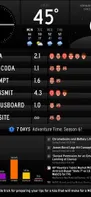
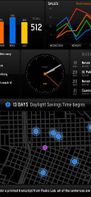
Use the easy built-in panels to see data about your life: calendar, tweets, e-mail, weather, news, and more. Or use the pro panels, Graph and Table, with your own customized data sources, to see relevant data about your business or organization.
-
Six Instant Panels Clock — Analog or digital, anywhere in the world. Weather — Temperature and four-day forecast. Calendar — Pick a calendar and see your appointments at a glance. Mail — Get message counts, or see the latest Subject lines. Twitter — See the latest tweets or the volume of tweets. Feeds — The latest headlines from your favorite sites.
-
Three Pro Panels Graph — You provide the JSON or CSV data source, we make it beautiful. Table — Toss us some HTML or CSV data and we'll make a nice-looking table. Do-It-Yourself — Design your own panels using HTML.
-
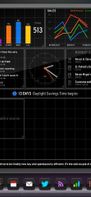
Incredible Customization Resize panels. Easily change your layout. Portrait or Landscape. Select data sources to display, configure how they're presented. The power is yours.
-
Simple Board Sharing Easily e-mail a Status Board configuration to colleagues or corporations and get everyone on the exact same page.
-
Deluxe HD Out via HDMI or AirPlay (In-App Purchase Required) Basic AirPlay is free, but HD Out lets you see your data on a big, beautiful screen, formatted specifically for HDTVs. No letterboxing!
We can't wait to see what your Status Board looks like. When you're finished, tweet a photo of your board to @panic and we'll share it!
THIS IS GOING TO BE SO AWESOME.
Note to iOS 5 users: AirPlay Mirroring is not a feature of iOS 5. iOS 5 customers will need to purchase Status Board's HD Out Feature and use an HDMI adapter and cable to connect to an external display.