


sTabLauncher
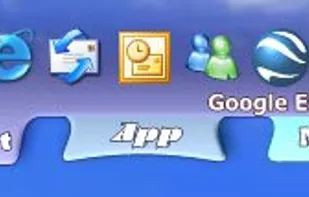
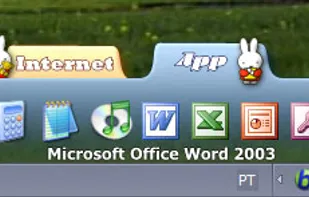
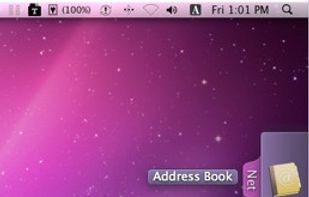
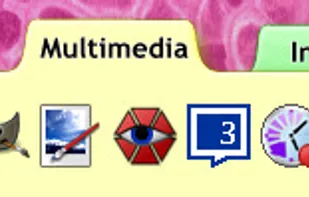
This tool helps with finding and launching your favorite programs, web pages, folders, or any type of files in a fast and easy way. Taking up fewer resources as possible, and allowing you to personalize the appearance in many ways, by changing colors, images, transparency...
Cost / License
- Free
- Proprietary
Application type
Alerts
- Discontinued
- Warning
Platforms
- Mac
- Windows
No longer updated. Last version, 2.2.3, was released in March, 2012
Firefox and Chrome flag the website as malicious. Download installs all sorts of nasties without any warning!

Features
- Dock
- Application Launchers
- Launcher
sTabLauncher News & Activities
Recent activities

What is sTabLauncher?
This tool helps with finding and launching your favorite programs, web pages, folders, or any type of files in a fast and easy way. Taking up fewer resources as possible, and allowing you to personalize the appearance in many ways, by changing colors, images, transparency, animations, and many other options to make it blend in with your desktop.
sTabLauncher information
Developed by
Sergio SantosLicensing
Proprietary and Free product.Alternatives
13 alternatives listedSupported Languages
- English


Comments and Reviews
Have it for many years. It does what it it is supposed to do.
This link is missing from the main site http://stablauncher.com/skins.htm
I think I'm going to stick with this launcher for these reasons:
[Edited by lebaux, April 18] changed to review. BTW, I agree on your comment. Thanks for sharing your opinion and please comment on other software you find useful! :)
Possible fix for autostart bug, found from forum:
"sTabLauncher obviously has a system preventing the user from launching 2 instances of the program. If we now assume that both the registry "Run" entry and the shortcut in the Startup folder exist, Windows will try to launch two instances of the program almost simultaneously. The result might be that eventually no instance of sTabLauncher will be loaded."
Upon complete installation, go to general settings, select "Start sTabLauncher on Windows StartUp" - allow sTabLauncher to creates a Run key entry at "HKEY_CURRENT_USER\Software\Microsoft\Windows\CurrentVersion\Run" with value "C:\Program Files (x86)\sTabLauncher\sTabLauncher.exe". Then go ahead and delete the shortcut in Startup Folder.
Voila, sTabLauncher will launcher reliably everytime, no matter after sleep mode, hibernate, or restart PC.