

Spark Tray icon
Spark Tray icon

Spark Tray

It packs five everyday media tools: video downloader, audio extractor, bulk downloader, background remover, and transcriber into a single Windows tray icon that runs entirely on your machine with no account, no cloud, and no subscription.
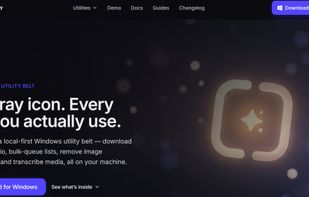
Spark tray Homepage

Cost / License

  • Free
  • Proprietary

Application type

Platforms

  • Windows
0likes
0comments
0articles

Features

Properties

  1.  Lightweight
  2.  Privacy focused
  3.  AI-Powered

Features

  1.  No Tracking
  2.  No registration required
  3.  Remove Image Background
  4.  Video Download

Spark Tray News & Activities

Highlights All activities

Recent activities

Spark Tray information

  • Developed by

    US flagMicrosoft
  • Licensing

    Proprietary and Free product.
  • Alternatives

    5 alternatives listed
  • Supported Languages

    • English
Spark Tray was added to AlternativeTo by Franklin U on and this page was last updated .
No comments or reviews, maybe you want to be first?

What is Spark Tray?

Spark Tray is a free, local-first Windows utility belt that lives in your system tray and puts five everyday media tools one click away. Instead of juggling separate apps and ad-filled download sites, you get a single tray icon: click it, pick a tool, drop in your file or link, and it runs entirely on your own machine. The Video Downloader pulls video or audio from YouTube, Vimeo, and thousands of other sites with control over quality, subtitles, and full playlists; the Audio Extractor rips sound losslessly or converts to MP3, M4A, WAV, FLAC, or Opus; the Bulk Downloader queues a whole CSV or list of links in the background and retries failures automatically; the Background Remover turns any photo into a crisp transparent PNG, one image or a whole batch; and the Transcriber produces accurate, timestamped transcripts as SRT, VTT, TXT, or JSON, with model choices for speed versus accuracy and on-the-fly translation to English.

What sets Spark Tray apart is that all of this happens locally, nothing uploads to the cloud, there's no account to create, and there's no subscription or paywalled feature, so your files and URLs never leave your PC. It installs just for you in seconds with no admin prompt or reboot, the installer is EV code-signed with checksum-verified binaries, and crash reporting is off by default.

Official Links