Space! icon
Space! icon

Space!

Space! displays the latest APOD photo curated by NASA every day.
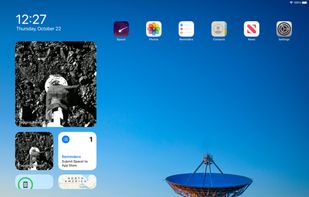
Space! screenshot 1

Cost / License

  • Free
  • Open Source (MIT)

Platforms

  • iPhone
  • iPad
2likes
1comment
0articles

Features

  1.  iOS widget
  2.  Interesting Pictures
  3.  Widgets

Space! News & Activities

Highlights All activities

Recent activities

No activities found.

Space! information

  • Developed by

    Jacob Bandes-Storch
  • Licensing

    Open Source (MIT) and Free product.
  • Written in

  • Alternatives

    3 alternatives listed
  • Supported Languages

    • English

Apple AppStore

  •   Updated 
  •   4.73 avg rating
View in AppStore

GitHub repository

  •  113 Stars
  •  14 Forks
  •  0 Open Issues
  •   Updated  
View on GitHub

Our users have written 1 comments and reviews about Space!, and it has gotten 2 likes

Space! was added to AlternativeTo by Alternative Software on and this page was last updated .

Comments and Reviews

   
Top Positive Comment
Alternative Software
0

A fun, random app that displays NASA's astronomy picture of the day on a home screen widget. The pictures are cool, but I sometimes wish that the app contained more information about the pictures. It just gives a caption and the photographer. It's still a neat, open source app, though!

Featured in Lists

This is a list of some of the best open source apps for iPhone. (Yes, they do exist.)

List by Alternative Software with 64 apps, updated

What is Space!?

NASA's Astronomy Picture of the Day – now on your Home Screen with widgets!

Space! displays the latest APOD photo curated by NASA every day. See the latest photo by adding a widget to your Home Screen or Today View, or just open the app for a full-screen view and an educational description.

? Space! is a fully open source app, built with Swift and SwiftUI. Browse the source code and contribute at: https://github.com/jtbandes/SpacePOD

? NASA images are in the public domain. Other images are copyright of their respective owners. More information about APOD can be found at: https://apod.nasa.gov/

? To learn how to use widgets, visit: https://support.apple.com/en-us/HT207122

Official Links