





Sora's Pixel Converter
Like
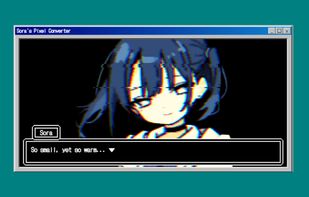
Browser-based image-to-pixel-art converter featuring 18 retro palettes, adjustable dithering and color controls, a built-in pixel editor, RPG dialog overlays, and stackable CRT, glitch and ghost-trail effects. Exports framed PNGs or animated MP4/WebM files locally.

Cost / License
- Free
- Proprietary
Since
- Since 2026


Features
Highlights All activities
Sora's Pixel Converter News & Activities
Recent activities
- charatme added Sora's Pixel Converter
 Mauricio B. Holguin added Sora's Pixel Converter as alternative to ImageGlitcher.com, wplace helper, webgbcam, BitCam and 27 more
- Mauricio B. Holguin updated Sora's Pixel Converter

Developed by
 Ameniwa
First released
2026Licensing
Proprietary and Free product.Alternatives
31 alternatives listedBadge
Get an embeddable badge for Sora's Pixel ConverterSupported Languages


No comments or reviews, maybe you want to be first?