

Slashbar
Command bar for macOS — press a hotkey and run 200+ text, window, and AI actions using the AI subscriptions you already pay for.
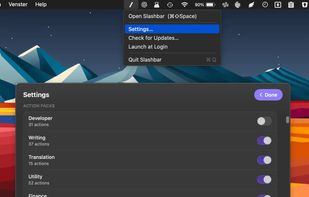
Features
Properties
- Lightweight
- Privacy focused
Features
- Ad-free
- Extensible by Plugins/Extensions
- Works Offline
- Support for scripting
- Dark Mode
- No registration required
- Application Launchers
Slashbar News & Activities
Recent activities
Slashbar information
What is Slashbar?
Slashbar is a command bar for macOS built around a simple idea: the field is the input. Copy or type anything, press the global hotkey (Cmd + Space by default), and the right action floats to the top — format JSON, translate, fix grammar, summarize, move windows, create reminders in natural language, search files, generate QR codes, and 200+ more.
AI actions run through the AI you already pay for: your logged-in Claude, Codex/OpenAI, or Gemini CLI, or Apple's on-device Foundation Models. No API keys, no separate bill, no proxy server — requests go directly from your Mac to your chosen provider.
Slashbar is local-first: no account, no backend, tokens live in the macOS Keychain. It's free, Developer ID-signed and notarized, updates itself with one click, and can be extended with community plugins from an open registry.