Figpea icon
Figpea icon

Figpea

Figpea opens PSD, Adobe XD, and Figma (.fig) files directly in your browser — nothing is uploaded, and no account is needed just to view a file.
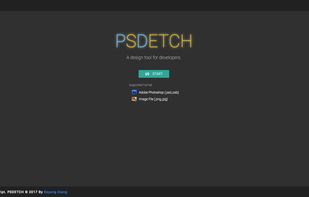
Figpea screenshot 1

Cost / License

  • Free
  • Proprietary

Platforms

  • Mac
  • Windows  Not working on IE
  • Linux
  • Online
  • Google Chrome
  • Safari
  • Mozilla Firefox
9likes
0comments
0articles

Features

  1.  Works Offline
  2.  Team Collaboration
  3.  Browser-based

Figpea News & Activities

Highlights All activities

Recent News

No news, maybe you know any news worth sharing?
Share a News Tip

Recent activities

  • figpea updated Figpea

Figpea information

  • Developed by

    Keyang Xiang
  • Licensing

    Proprietary and Free product.
  • Alternatives

    9 alternatives listed
  • Supported Languages

    • English
Figpea was added to AlternativeTo by keyangxiang on and this page was last updated .
No comments or reviews, maybe you want to be first?

Featured in Lists

A list with 24 apps by wenyanglee without a description.

List by Wen Yang Lee with 24 apps, updated

What is Figpea?

Figpea opens PSD, Adobe XD, and Figma (.fig) files directly in your browser — nothing is uploaded, and no account is needed just to view a file.

For Adobe XD specifically, Figpea has one of the most complete viewers available: browse every artboard, play the prototype, and export everything — artboards and assets — to a ZIP in one click. This is especially useful now that Adobe has discontinued XD and there's no official converter.

Figma (.fig) files open locally too, so you can browse pages, frames, and layers from a file someone sent you without needing a Figma account. Figma's .fig format is undocumented, so fidelity here is best-effort.

Across all supported formats you can inspect layers, copy CSS, measure elements, and export assets (PNG/SVG/PDF/WebP). It's a viewer, inspector, and exporter — not a round-trip editor; it doesn't save back to the original PSD/XD/.fig format.