
SideNote Pro icon
SideNote Pro icon

SideNote Pro

Native Windows 11 AI assistant that stays beside your work with docked, floating and edge-handle modes. Connect cloud or local AI providers for chat, selected-text actions, screenshots, documents and local folder retrieval, while conversation data remains on the PC.
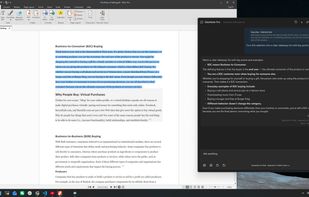
SideNote Pro open beside a document in dark mode, providing AI assistance without leaving the current application.

Cost / License

  • Pay once
  • Proprietary

Platforms

  • Windows  Requires Windows 11 (64-bit)
0likes
0articles
Save

Features

Properties

  1.  AI-Powered

Features

  1.  Support for Keyboard Shortcuts
  2.  On top

SideNote Pro News & Activities

Highlights All activities

Recent activities

SideNote Pro information

AlternativeTo Category

AI Tools & Services
SideNote Pro was added to AlternativeTo by BediniLabs on and this page was last updated . SideNote Pro is sometimes referred to as SideNote. 

No comments or reviews, maybe you want to be first?

Official Links

What is SideNote Pro?

SideNote Pro is a native Windows 11 AI assistant designed to stay close to the user's current work. It can be kept above other windows, docked to the right edge of the desktop, retracted into a small edge handle, or invoked globally with keyboard shortcuts.

It uses a bring-your-own-provider model. Users can configure OpenAI, Anthropic, Google Gemini, DeepSeek, Ollama, LM Studio, or a custom OpenAI-compatible endpoint and choose the model used for their requests.

SideNote Pro supports regular chat, selected-text actions such as summarize, rewrite, explain and translate, screenshots and images, PDF, Word, text and Markdown documents, and local folder indexing and retrieval.

Conversation history, provider configuration and local folder indexes are kept on the Windows PC. SideNote Pro has no user-content backend, cloud synchronization, telemetry or advertising.

The application is built for Windows 11 x64 and includes a 30-day free trial with a lifetime license available.

SideNote Pro Videos

