
ShredFiles
Drag-and-drop file shredder for Windows. One .exe, nothing to install.
Cost / License
- Free
- Open Source (MIT)
Platforms
- Windows


ShredFiles
Features
Properties
- Privacy focused
- Lightweight
Features
- Portable
- Ad-free
- No registration required
- Delete Temporary Files
- File Shredder
ShredFiles information
What is ShredFiles?
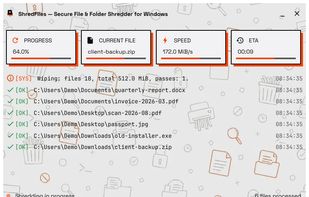
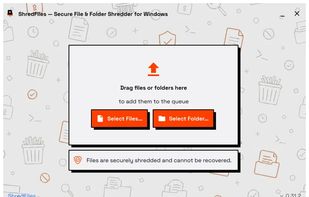
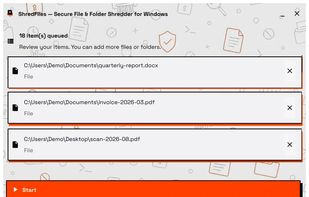
ShredFiles is a drag-and-drop shredder for Windows. Drop files or folders on the window, look the list over, press Start.
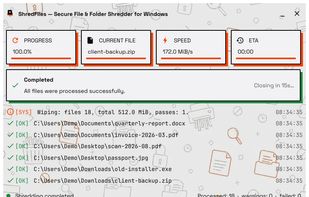
Each file is overwritten with random data — one pass on a drive that reports itself as flash, three on everything else. The last pass is read back off the same open file and checked before the file is deleted. The name is replaced with random characters and the three timestamps are overwritten first.
It then clears what Explorer wrote down about what it removed: the RecentDocs entry, the typed-path history, the open/save dialog entry, and Shellbags for folders it emptied. All of that happens under HKEY_CURRENT_USER, so none of it needs administrator rights.
Single executable, nothing to install, and it stores no settings — no registry keys of its own, no config file. Two builds: one that requests elevation, one that never does. MIT licence, source on GitHub.
It does not add itself to the Explorer context menu, does not schedule, and does not wipe whole drives. The site is honest about what overwriting cannot guarantee on flash storage.