


Sew Editor
Like
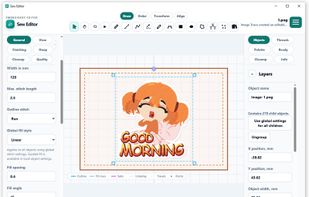
Sew Editor is free embroidery design and digitizing software for Windows and the web. Create and edit embroidery patterns, customize stitches, import artwork, and export DST, PES, JEF, and EXP files.

 EU


Features
Highlights All activities
Sew Editor News & Activities
Recent activities
 Paul added Sew Editor as alternative to ZigZag Embroidery
- Alex Tailor added Sew Editor
- Alex Tailor updated Sew Editor
 embroideryallsorts added Sew Editor as alternative to Allsorts StitchLab
 Alex Tailor added Sew Editor as alternative to Ink/Stitch, Embroidermodder, Crosti, Pulse Ambassador and 3 more


Developed by
 Sew Editor
Licensing
Proprietary and Free product.Alternatives
9 alternatives listedBadge
Get an embeddable badge for Sew EditorSupported Languages

No comments or reviews, maybe you want to be first?