





Segue Video
1 like
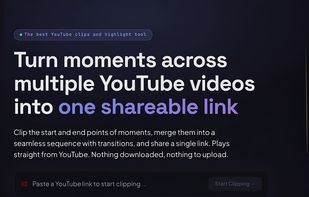
Mark in and out points on any YouTube video and share the moments as one link that plays them back to back. Free without an account, and nothing is downloaded, so views still credit the creator.

Cost / License
- Freemium (Subscription)
- Proprietary
Platforms
- Online
- Software as a Service (SaaS)


Features
Highlights All activities
Segue Video News & Activities
Recent activities
 mvpchops added Segue Video as alternative to Klap and YouTube Clips
- mvpchops updated Segue Video
 mvpchops added Segue Video as alternative to KiraClip
 mvpchops added Segue Video as alternative to Smart Media Cutter and 2short.ai
- mvpchops added Segue Video
- mvpchops liked Segue Video
 mvpchops added Segue Video as alternative to Opus Clip, VEED.IO, Kapwing, Descript and 1 more


Developed by
UnknownLicensing
Proprietary and Freemium product.Pricing
Subscription that costs $5 per month + free version with limited functionality.Alternatives
9 alternatives listedBadge
Get an embeddable badge for Segue VideoSupported Languages

No comments or reviews, maybe you want to be first?