


Screetime Plus
It makes you manage your screen time and increase productivity at the same time.A teenager ,office worker or even a video gamer spend a lot of time looking at the digital screens and Screetime Plus has all to make you safe with plus features.
Cost / License
- Free Personal
- Proprietary
Platforms
- Windows

Features
- Auto Update
Screetime Plus News & Activities
Recent activities
Screetime Plus information
Developed by
Sumit GuptaLicensing
Proprietary and Free Personal product.Pricing
One time purchase (perpetual license) that costs $0.Alternatives
4 alternatives listedSupported Languages
- English


What is Screetime Plus?
According to a research
the chance of myopia increases if a person’s screen time is greater than 2 hr (in children) to 7 hr per week. This can be reduced by taking small breaks during screen time which helps our ciliary muscles to relax.
www.ihasco.co.uk suggests that short, frequent breaks are better than less frequent longer breaks, so a 5-10 minute break after 50-60 minutes is better than a 20 minute break every 3 hours.
HOW ?
Protects From Screen Time
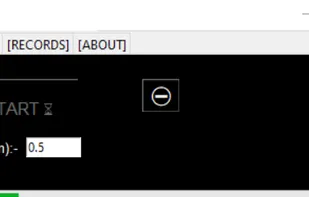
Whenever you plan to work ,study or play on your computer you can just start Screetime ,set the time interval( < 6 hr) and start your task and it will remind you to stop for a very short break.
Makes You Productive
Do you know about the Pomodoro Technique? It’s a way to do a task in such that our focus remains the same throughout the work duration ,something that is very important to be efficient.
After completion of 4 intervals Screetime reminds the user to take a longer break.
Keep Records
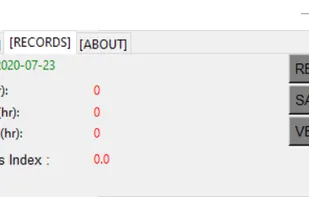
Screetime also keeps a record of the your screen time per week and warns you when it exceed the limit .This helps you to track your screen time and be safe before it’s too late.
If you want more out of Screetime app , its time to try Screetime Plus.
More Features:( including bug fixes and Screetime features)
-Get more specific modes
-Get a assistant that makes it easy to be used.
-Cleaner interface then before
-Layout improved, reset the window and place it anywhere on the desktop
-Use to know more!
Comments and Reviews
Prevents eye strain