ScreenWakeUp Alternatives

ScreenWakeUp is described as 'Free, browser-based tool that keeps your screen from sleeping or locking. It uses the modern Screen Wake Lock API — nothing to install, no admin rights, no account. Open it in any browser on Windows, macOS, Linux, ChromeOS, Android or iPhone and click one' and is a prevent sleep mode app in the office & productivity category. There are more than 50 alternatives to ScreenWakeUp, not only websites but also apps for a variety of platforms, including Mac, Windows, Android, Linux and F-Droid apps. The best ScreenWakeUp alternative is Amphetamine, which is free. Other great sites and apps similar to ScreenWakeUp are Caffeine for Windows, Stimulator, PowerToys - Awake and Caffeine for Linux.

Copy a direct link to this comment to your clipboard
ScreenWakeUp alternatives page was last updated

Alternatives list

  1. SleepLess icon
     5 likes

    This application is used to prevent the computer from going to sleep without changing system settings

    Cost / License

    • Paid
    • Proprietary

    Application type

    Platforms

    • Mac
     
  2. Stay Awake! icon
     2 likes

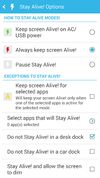
    Keep your screen on when your device is running your GPS application, favorite remote control, playing a movie or slideshow, etc... Perfect to keep your screen on without dimming for application development. Your screen will never go back to sleep until you want it to...

    Cost / License

    • Free
    • Proprietary

    Application type

    Platforms

    • Android
     
  3. Taurine icon
     1 like

    This app will keep your system awake for a defined period of time. It will pause the energy settings and prevent the screensaver from starting.

    Cost / License

    • Free
    • Proprietary

    Application type

    Platforms

    • Mac
     
  4. MoccaFaux icon
     1 like

    MoccaFaux is a flexible scheduler that prevents the activation of screen savers and power-saving modes when certain conditions are met.

    Cost / License

    Application type

    Platforms

    • Mac
    • Windows
    • Linux
     
  5. Wakeful icon
     2 likes

    Keeps your computer in an active state. No install required, fully portable and can run from a USB. Completely free for everyone.

    Cost / License

    • Free
    • Proprietary

    Application type

    Alerts

    • Warning

    Platforms

    • Windows
     
  6. PleaseSleep icon
     2 likes

    PleaseSleep is a utility software designed for Mac OS X that helps put your computer to sleep when you know some other app is preventing your Mac from going to sleep.

    Cost / License

    • Free
    • Proprietary

    Alerts

    • Discontinued

    Platforms

    • Mac
     
  7. NoSleep icon
     4 likes

    NoSleep makes closing of your MacBook lid possible without going to a sleep mode. Now you shouldn't have to plug your mouse and monitor to stay computer awake - just activate it by clicking a menu bar icon or check a tick in the System Preferences and continue downloading...

    Cost / License

    • Free
    • Open Source

    Alerts

    • Discontinued

    Platforms

    • Mac
     
  8. Deep Sleep icon
     1 like

    Deep Sleep is a simple Dashboard widget which allows users to put their computer into hibernation mode, also sometimes called software suspend mode. This widget only works on a limited number of Apple computer models.

    Cost / License

    • Free
    • Proprietary

    Alerts

    • Discontinued

    Platforms

    • Mac
     
  9. AntiSleep icon
     1 like

    Keep System Awake.

    Cost / License

    • Freemium
    • Proprietary

    Platforms

    • Mac
     
You are at page 4 of ScreenWakeUp alternatives