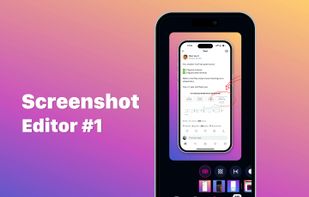
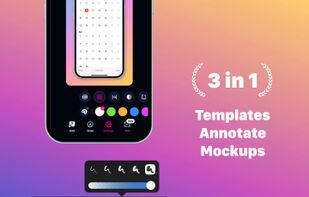
FramedShot is a free Chrome screenshot extension for creating polished, privacy-friendly screenshots. Capture, frame, annotate, redact, and export screenshots directly in your browser without an account, uploads, or watermarks.


Screely is described as 'Want to share what you've worked on with friends or co-workers but think a plain screenshot is a bit bland? Screely instantly turns your screenshot into a beautiful image you can share' and is a screenshot capture tool in the photos & graphics category. There are more than 25 alternatives to Screely, not only websites but also apps for a variety of platforms, including Mac, Google Chrome, SaaS and Windows apps. The best Screely alternative is Imgur, which is free. Other great sites and apps similar to Screely are Gradia, Lightshot, MakeShot Pro and Screenshot.rocks.
FramedShot is a free Chrome screenshot extension for creating polished, privacy-friendly screenshots. Capture, frame, annotate, redact, and export screenshots directly in your browser without an account, uploads, or watermarks.


Snipboard (previously known as Snaggy) is an image host that lets you quickly paste and share images from your clipboard directly online.


Image Chest makes sharing images easy. It can be used to share pictures with friends, as well as post images on forums, blogs, or social media. No account required, and it's free.


Thousands of illustrators, designers, and photographers around the world rely on our platform to organize, share, and sell their digital works of art. Whether you are a seasoned industry professional or an explorer, you can trust Imagesocket to help you make it happen.


ScreenCloud is an easy to use screenshot sharing application. Take a screenshot using one of the 3 hotkeys or simply click the ScreenCloud tray icon. You can choose where you want to save your screenshot.


ImgPile is the best place to share and enjoy the most awesome images on the Internet. Every day, people use ImgPile to be entertained and inspired by funny, heartwarming and helpful images and stories from all around the world.

Create images and designs for web or social platforms by capturing and customizing screenshots, coding snippets, or device mockups with templates, Chrome and VSCode extensions, branding tools, and export options for high-quality graphic output.


Uploading images and screenshots from home page or from your dashboard. Offers a 50 MB upload limit for guests and a 100 MB upload limit for registered users. Offers 11 GB of free storage space for registered users.

With Free Snipping Tool, not just you create snips, you can save your snips on major backup services like Imgur, Google Drive and Dropbox. Not just this you can also upload them via FTP or simple WebRequest.


Snipfolio turns raw screenshots into clean, shareable mockups. Drop in a screenshot and draw crop regions on it. Snipfolio will snap each crop to the right aspect ratio for desktop, mobile, or browser frames.