


scr2n2pdf
scr3n2pdf allows you to capture, combine, and edit multiple on-screen selections—even from different apps—into a single, smart, and fully editable PDF document.
Cost / License
- Subscription
- Proprietary
 EU
EUPlatforms
- Windows


scr2n2pdf
Features
- PDF annotation
- Export to PDF
scr2n2pdf information
Developed by
 scr3n2pdf Solution
 Licensing
Proprietary and Commercial product.Pricing
Subscription that costs $4 per month.Alternatives
0 alternatives listedSupported Languages
- English
What is scr2n2pdf?
Scr3n2pdf: The Ultimate Multi-App Screen Capture & PDF Solution The real alternative to Snagit
Transform your screen into a powerful productivity tool.
Welcome to scr3n2pdf, the intelligent desktop application that revolutionizes how you capture, edit, and organize visual information. scr3n2pdf allows you to capture, combine, and edit multiple on-screen selections—even from different apps—into a single, smart, and fully editable PDF document.
Unlike traditional snipping tools that require you to save files one by one, scr3n2pdf streamlines your workflow into one seamless session.
Why Scr3n2pdf is the Best Screen-to-PDF Tool
-
Dynamic Multi-App Capture Experience a unique multi-screen-capture mode designed for modern multitasking. Seamless Switching: Select and record multiple regions even as you switch between apps and windows. Persistent Floating Tool: With our always-on-top floating capture tool, you can navigate freely between browser tabs, software, and documents to take selective screenshots without interruption. Single Session Workflow: Merge screenshots, existing PDFs, and images into one document instantly—no need to "save and paste" repeatedly.
-
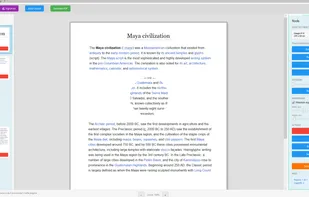
Powerful Local PDF Editor & OCR Scr3n2pdf is more than a screenshot tool; it is a comprehensive document creator. Total Creative Control: Edit every page with ease. Add notes, images, or text anywhere on your captured content. Organize Effortlessly: Reorder pages and structure your document exactly how you need it before exporting.
OCR Text Recognition: One subscription unlocks OCR capabilities, allowing you to extract text from images and make your documents truly functional.
- 100% Private & Offline Your data is your business. Unlike most PDF editors or cloud-based capture tools, scr3n2pdf works 100% locally on your device.
No Cloud Uploads: Your sensitive screenshots and documents never leave your computer.
