




Scadarlia
-This handy tool can analyze the distance between keywords in the results shown by your search engine

Cost / License
- Paid
- Proprietary
Platforms
- Windows




Scadarlia
Features
Tags
Scadarlia News & Activities
Recent activities
No activities found.
Scadarlia information
Developed by
 Kalidor WEB Ltd
 Licensing
Proprietary and Commercial product.Alternatives
0 alternatives listedSupported Languages
- English
What is Scadarlia?
-This handy tool can analyze the distance between keywords in the results shown by your search engine
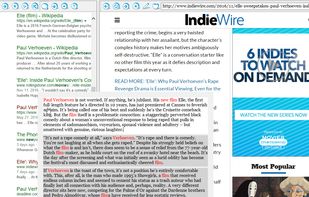
The program prompts you with a main window that is split into two sections, which should reinterpret your approach to search engines. While this may look like a program packing ordinary browser-like capability, it is not. In fact, the application differentiates itself through its ability to follow a series of rules when displaying the results of a Google or Bing search.
It can analyze the position of your keywords within your page, making sure that they are as close to one another as possible, since this is what makes them more representative for what you have in mind.
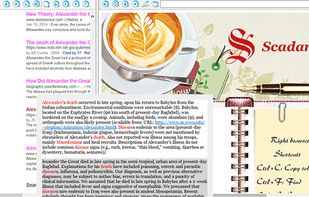
- Lets you assign colors to results based on their relevance
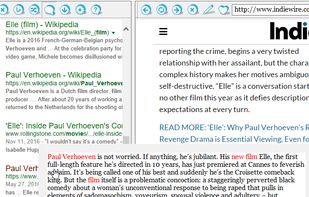
Your results will be assigned different colors, depending on their quality. You need to click the “Settings” button if you want to change the defaults for any of the following scenarios: at least one keyword is missing, all keywords appear on the same page, they are all shown in the same paragraph, or they are found in the same sentence.
It is important to mention that the program is not designed to replace your browser altogether, even though it does let you navigate the web in a comfortable environment. Once you consider your search delivered the best results, you can click the button showing a heart, in the right section, which opens the page in your browser.
- Fast scrolling to a wanted paragraph
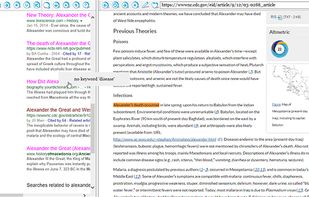
When you hold the mouse over a painted link, a popup window appears containing the paragraphs with the keywords. With the mouse wheel you can extend the context even more. Clicking on the selected paragraph (on the popup) causes opening that page in the right browser and automatic scrolling to this paragraph. This possibility can severely speed up your internet search.