SaveSync is a co-op focused save syncing, backup, and sharing tool designed to make continuing shared game worlds easy and effortless. SaveSync ensures everyone in your group can pick up where you left off, without relying on the original host.
We built SaveSync after seeing how often players asked, “How can we keep playing our co-op world if the host isn’t available?” The usual answers, setting up a paid dedicated server or manually transferring files, are either expensive or frustrating. SaveSync solves this with a simple, automated and affordable solution.
Key Features
☁️ Cloud Save: The saves you choose are stored on Steam Workshop, encrypted, unlisted, and private by default.
🔄 Cross-User Syncing: Share your saves with your friends so anyone can keep hosting. Save files are scanned with Windows Defender before uploading and downloading, for an extra layer of safety.
🧭 Host Transfer Made Easy: The save’s host changes automatically when activated.
🗂️ Save Activation Control: Activate or deactivate specific saves to get around in-game save limits–great for games that restrict the number of save slots.
🕒 Save History & Revert: View the complete history of your save files, including when and who modified them, and easily revert to any previous version.
📂 Complements Steam Cloud: Works alongside Steam Cloud without conflict. Save activation/deactivation and host changes reflect properly, even on unsupported platforms.
🖧 LAN Sync: Seamlessly play Minecraft Java edition, Hytale and Vintage Story LAN with your Steam friends.
🌐 WAN Sync (experimental): Host Minecraft Java Edition, Hytale or Vintage Story for friends outside your network. Share a public address and our tunnel servers handle the rest.
💻 Platform Support: Windows and Linux (via Proton)
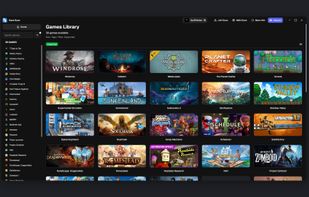
🎮 Games Currently supported:
- Schedule I
- Stardew Valley
- Minecraft: Java Edition, Prism Launcher, CurseForge, Modrinth, Feed The Beast, PineconeMC Launcher
- Satisfactory
- Valheim
- Don't Starve Together
- Enshrouded
- Vintage Story
- Core Keeper
- MISERY
- Project Zomboid
And many more...
You can view the complete list on their website.













 SaveSync
No comments or reviews, maybe you want to be first?