Retro Launch icon
Retro Launch icon

Retro Launch

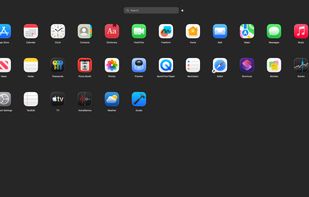
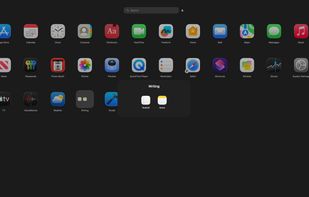
Apple removed Launchpad in macOS Tahoe. Retro Launch brings it back and makes it better. Full-screen app launcher with folders, search, smart sorting (alphabetical, recent, frequent, or custom drag-and-drop), trackpad gestures, hot corners, custom keyboard shortcuts, and a menu...
Retro Launch screenshot 1

Cost / License

  • Pay once
  • Proprietary

Platforms

  • Mac
Retro Launch screenshot 1
0likes
0comments
0alternatives
0articles

Features

Properties

  1.  Privacy focused
  2.  Lightweight

Features

  1.  No registration required
  2.  Works Offline
  3.  Dark Mode
  4.  Support for Gestures
  5.  No Tracking
  6.  Ad-free
  7.  Application Launchers

Retro Launch News & Activities

Highlights All activities

Recent activities

Retro Launch information

  • Developed by

    US flagPhil Hanson
  • Licensing

    Proprietary and Commercial product.
  • Pricing

    One time purchase (perpetual license) that costs $10.
  • Alternatives

    0 alternatives listed
  • Supported Languages

    • English

AlternativeTo Category

OS & Utilities
Retro Launch was added to AlternativeTo by Phil Hanson on and this page was last updated .
No comments or reviews, maybe you want to be first?

What is Retro Launch?

Apple removed Launchpad in macOS Tahoe. Retro Launch brings it back and makes it better. Full-screen app launcher with folders, search, smart sorting (alphabetical, recent, frequent, or custom drag-and-drop), trackpad gestures, hot corners, custom keyboard shortcuts, and a menu bar icon. Built entirely in Swift with zero external dependencies. Privacy first: all data stays on your Mac. No accounts, no cloud sync, no tracking, no analytics.