


Remove/Crop-to Selection
Like
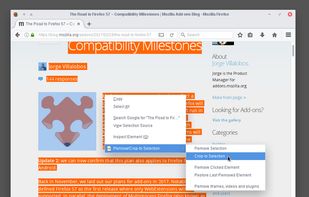
Remove or crop-to selection from context menu so that you can print or save only the parts you need. Additionally you can remove clicked elements and also remove ads, videos or other third-party content from web pages.

Cost / License
- Free
- Open Source (MPL-2.0)
Platforms
- Firefox


Features
Highlights All activities
Remove/Crop-to Selection News & Activities
Recent News
No news, maybe you know any news worth sharing?
Share a News Tip
Recent activities
No activities found.
Licensing
Open Source (MPL-2.0) and Free product.Alternatives
1 alternatives listedBadge
Get an embeddable badge for Remove/Crop-to SelectionSupported Languages

No comments or reviews, maybe you want to be first?