Remote Numpad icon
Remote Numpad icon

Remote Numpad

With Remote Numpad, you can add the convenience of a numeric keypad to your laptop.
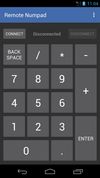
Remote Numpad screenshot 1
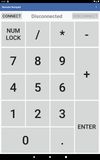
Remote Numpad screenshot 2
+1
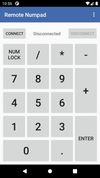
Remote Numpad screenshot 3

Cost / License

Platforms

  • Android
  • F-Droid

Features

No features, maybe you want to suggest one?

Remote Numpad News & Activities

Highlights All activities

Recent activities

No activities found.

Remote Numpad information

GitHub repository

  •  106 Stars
  •  9 Forks
  •  3 Open Issues
  •   Updated  
View on GitHub
Remote Numpad was added to AlternativeTo by Paul on and this page was last updated .
No comments or reviews, maybe you want to be first?

What is Remote Numpad?

With Remote Numpad, you can add the convenience of a numeric keypad to your laptop.

You can use this numpad in 3 different ways.

Using the Bluetooth HID profile (experimental), you can use Remote Numpad with any Bluetooth-enabled device (Android P or more required).

Using the classic Bluetooth or TCP (Wi-Fi) connections, a server application needs to be running on the device. The server can be downloaded from "https://github.com/theolizard/remote-numpad-server/releases" where you will also find more information.

IMPORTANT: The classic Bluetoooth and TCP (Wi-Fi) connections WILL NOT WORK if the server is not running on the other device.

A tutorial video can be found at "https://youtu.be/xTfQparcgg4".

The project is open source and all contributions are welcome over at "https://github.com/theolizard/remote-numpad".

Remote Numpad Videos