


RegEx Edit
2 likes
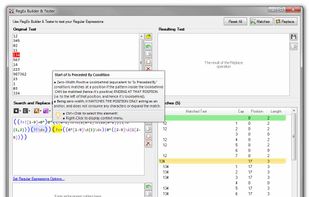
Create, edit, and test RegEx Regular Expressions. Replace, format, and extract text in files using Regular Expressions. Perform GREP-like tasks, use RegEx substitutions, extract data! Supports color syntax highlighting and contextual tooltips making it easy to design patterns.

Cost / License
- Free
- Proprietary
Since
- Since 2015


Features
Highlights All activities
RegEx Edit News & Activities
Recent activities
 Kristofp added RegEx Edit as alternative to RegexPilot

Developed by
 BinaryMark
Licensing
Proprietary and Free product.Alternatives
42 alternatives listedBadge
Get an embeddable badge for RegEx EditSupported Languages


Comments and Reviews
Every time you close it, it opens up the website for their products. Annoying af. Uninstalled.