


Use the Volume buttons to capture a photo or video both inside and outside the Camera application.
Cost / License
- Paid
- Proprietary
Platforms
- iPhone


Apps similar to REC - Pro Video Camera include Open Camera, which is free and open source. Other options are Secure Camera, Fossify Camera, Project Indigo and Final Cut Camera. You're spoiled for choice with Camera Apps like REC - Pro Video Camera: we list more than 25 alternatives for iPhone, Android, iPad, Windows and Linux.
Use the Volume buttons to capture a photo or video both inside and outside the Camera application.

Moment gives you full manual control, without the clutter. Easily adjust exposure, ISO, shutter speed, focus, white balance, image format, and more.
 United States


ProCam X will turn your phone into professional camera with full control over exposure, focus, white balance, ISO and other features.
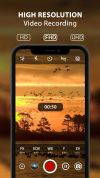
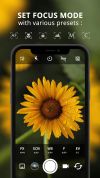


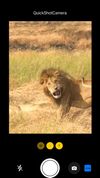
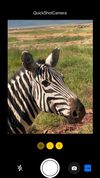
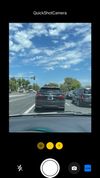
QuickShotCamera enables you to capture a photo as quickly as possible, without the risk of delay from fumbling for the shutter button or restoring the correct settings. QuickShotCamera will take two Live Photos with the back camera in quick succession as soon as it is launched...


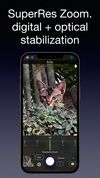
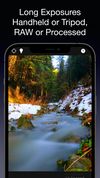
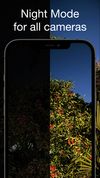
Neurashot is a computational photography app packed with cutting-edge computer vision smarts to help you get the most out of your device's camera.


Xamera is a Mac camera app that adds real-time beauty filters and camera effects to any app that lets you choose a camera. It creates a virtual camera called "Xamera" that you select in FaceTime, Zoom, Google Meet, Microsoft Teams, OBS, Twitch, or Photo Booth.





From the developers that brought you the best-selling Camera+, and Camera+ 2, Macro by Camera+ will instantly be another staple of your digital camera bag.
 Spain
Spain EU
EU




Take a series of (1-4) shots to get a photo like those from toy cameras!
More social network pages for Unnawut: Google+: about.me: http://about.me/tuwannu GitHub: https://github.com/tuwannu TED: http://www.ted.com/profiles/437296.



Some of your most personal data lives on your camera roll. What are you doing to protect yourself? Encamera encrypts every photo you take, keeping your data safe from the prying eyes of AI, media analysis, hacks, and other violations of privacy.





 Italy
Italy


