





Read in Romaji
1 like
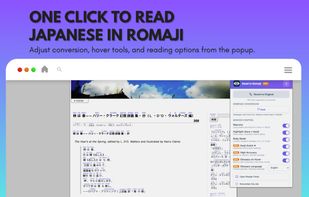
A browser extension that converts Japanese text into romaji while you browse, helping beginners read Japanese websites, kana, and kanji more easily.

Cost / License
- Freemium (Subscription)
- Proprietary
Application typeApplication types
Platforms
- Google Chrome
- Mozilla Firefox
- Microsoft Edge


Features
Highlights All activities
Read in Romaji News & Activities
Recent activities
- rated Read in Romaji★★★★★
 cf7 added Read in Romaji as alternative to Yomitan
- cf7 liked Read in Romaji
 cf7 added Read in Romaji as alternative to 10ten Japanese Reader (Rikaichamp)
- Paul updated Read in Romaji
- cf7 added Read in Romaji
 cf7 added Read in Romaji as alternative to kuroshiro


Developed by
 Individual
 Licensing
Proprietary and Freemium product.Pricing
Subscription that costs $6 per month + free version with limited functionality.Alternatives
4 alternatives listedBadge
Get an embeddable badge for Read in RomajiSupported Languages

No comments or reviews, maybe you want to be first?