


REA - Reverse Engineer Anything
1 like
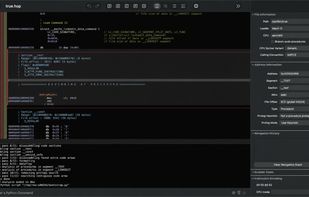
One MCP for reverse engineering across binaries, applications, and runtime behavior.

Cost / License
- Free
- Open Source (MIT)
Application type
Since
- New
Releases
- 42 releases last year42 last year
GitHub
- GitHub stars: 471.2k

Features
Highlights All activities
REA - Reverse Engineer Anything News & Activities
Recent activities
 Mauricio B. Holguin added REA - Reverse Engineer Anything as alternative to Craft Anything and CLI-Anything
- Croco Loki added REA - Reverse Engineer Anything
- Croco Loki liked REA - Reverse Engineer Anything
- Croco Loki updated REA - Reverse Engineer Anything
- Croco Loki updated REA - Reverse Engineer Anything
 Croco Loki added REA - Reverse Engineer Anything as alternative to REHex, Malcat and ImHex


Developed by
morlutoLicensing
Open Source (MIT) and Free product.Written in
Alternatives
5 alternatives listedBadge
Get an embeddable badge for REA - Reverse Engineer AnythingSupported Languages

AlternativeTo Categories
Development, OS & UtilitiesGitHub repository
- 471,231 Stars
- 115,072 Forks
- 1,374 Open Issues
- Updated


No comments or reviews, maybe you want to be first?