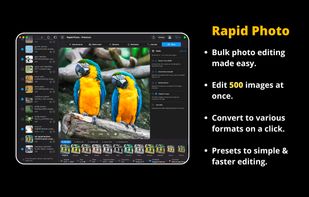
RapidPhoto is a fast, native batch photo editor for macOS that processes up to 500 images at once, entirely on-device. Built with Swift and optimized for Apple Silicon, it handles large photo batches in seconds.
Batch processing at scale
Import a folder and apply crops, edits, watermarks, renaming, and format conversions in a single pass. Designed for photographers, designers, e-commerce sellers, and social media workflows.
Smart cropping
Supports 14 aspect ratios including 16:9, 4:3, 1:1, and 9:16.
Includes real-time preview with precise positioning and instant batch application.
Powerful editing tools
Includes 20+ adjustment controls and a 5-point tone curve.
Adjust exposure, brightness, contrast, saturation, vibrance, highlights, shadows, sharpness, tint, and color grading.
Pro version adds 100+ effects and 40 film emulations.
On-device AI
Powered by Core ML and Apple Neural Engine.
Features include background removal, face blur, Real-ESRGAN upscaling, OCR text extraction, and QR or barcode detection.
Watermarking
Customize with 25+ fonts, opacity, rotation, shadows, strokes, background boxes, and 9 anchor positions.
Batch rename and metadata
Create structured filenames using prefixes, dates, and auto-incrementing sequences.
Supports IPTC metadata editing, including modern AI disclosure fields.
Export flexibility
Supports 9 formats: JPEG, PNG, HEIC, WebP, AVIF, TIFF, GIF, BMP, and JPEG 2000.
Export in sRGB, Display P3, or Adobe RGB color spaces.
Privacy-first design
No cloud processing, no telemetry, and no network calls.
All processing happens locally on your Mac.
Built for performance
Native SwiftUI interface with GPU-accelerated Metal pipeline, real-time previews, and organized timestamped exports.
Pricing
Free version includes up to 10 images per batch, limited crop ratios, and JPEG or PNG export.
RapidPhoto Pro is a one-time purchase that unlocks full batch size, all formats, advanced effects, watermark options, and AI tools.




 Omprakash Sah Kanu added RapidPhoto as alternative to PhotoBulk, Bulk Resize Photos, Batch Image Watermarker, Mass Watermark and 3 more
 Omprakash Sah Kanu


No comments or reviews, maybe you want to be first?