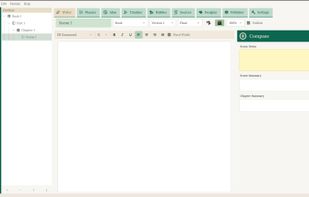
Quilva is a complete writing and creative workspace designed to take a project from the first idea through to the finished piece of work. It combines planning, outlining, mindmapping, notes, research, story and scene organisation, drafting, editing, document design and publishing into one application, giving writers a single place to develop and produce substantial written work. Whether you're writing a novel, screenplay, essay, book, research project or other long-form document, Quilva is designed to support the entire creative process rather than simply acting as a word processor.
At the heart of Quilva is the ability to see and organise the thinking behind a piece of writing. Projects can be structured using outlines, story cards, scenes, notes, characters, timelines and other planning tools, allowing ideas to be developed and rearranged before and during the writing process. The writing environment then brings this material together into a focused workspace where the actual document is created, revised and developed. Quilva also includes tools for formatting, designing and publishing finished work, allowing the project to remain in one place from initial concept to final PDF or document.
Quilva is also built around a fundamentally different approach to authorship and AI-generated writing. Rather than attempting to analyse a finished piece of text and guess whether it was produced by artificial intelligence, Quilva can record evidence of the writing process as the work is created. It can record activity such as typing, editing, deletions, pauses, writing time and the distinction between typed and pasted content, creating a record of how the document developed. This process evidence can be used to generate a Human Authorship Certificate containing a QR code, allowing the creation history of the work to be independently viewed and verified.
Quilva is offline-first and designed to keep the work on the user's own computer. Writing and authorship information do not need to be uploaded to a cloud service for Quilva to function, making it particularly suitable for schools, institutions and anyone who wants greater control over their work and data. Quilva brings together the tools needed to plan, create, refine, publish and document the creation of written work in one application — putting the focus back where it belongs: on the work itself and the person who created it.







 Mira Ellison added Quilva as alternative to Scrivener, Manuskript, Quoll Writer, yWriter and 9 more
 Quilva

No comments or reviews, maybe you want to be first?