QuickQuick icon
QuickQuick icon

QuickQuick

QuickQuick lets you create your own keyboard shortcuts in Microsoft Excel and Microsoft PowerPoint (over 1,800 commands). It is also packed with PowerPoint’s productivity tools that let slide designers craft their work much faster.
QuickQuick

Cost / License

  • Free
  • Proprietary

Platforms

  • Windows
Excel Keyboard Shortcuts Tool
PowerPoint Keyboard Shortcuts Tool
+2
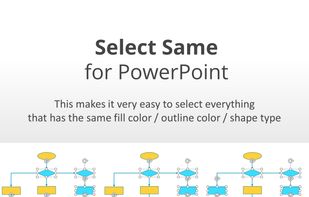
Select Same makes it easy to select all items with the same color or shape type
0likes
0comments
0alternatives
0articles

Features

QuickQuick News & Activities

Highlights All activities

Recent activities

No activities found.

QuickQuick information

  • Developed by

    Kacharuk Marukpitak
  • Licensing

    Proprietary and Free product.
  • Alternatives

    0 alternatives listed
  • Supported Languages

    • English
QuickQuick was added to AlternativeTo by Kacharuk Marukpitak on and this page was last updated .
No comments or reviews, maybe you want to be first?

What is QuickQuick?

QuickQuick is a light-weight, portable program that allows you to assign hotkeys to over 1800 commands in Microsoft Excel and Microsoft PowerPoint. It is also packed with more PowerPoint’s productivity tools like ‘Select Same’ or ‘Text Extractor’ that lets slide designers craft their work much more conveniently.

[Features]

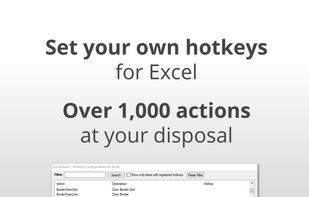
  1. Excel Hotkeys Tool : Over 1,000 Excel commands you can assign hotkeys to.
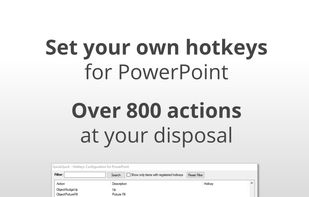
  2. PowerPoint Hotkeys Tool : Over 800 PowerPoint commands you can assign hotkeys to.
  3. PowerPoint Productivity Tools:
  • Select Same: This makes it very easy to select everything that has the same fill color / outline color / shape type. Start by selecting one object, use the middle click to bring up the productivity tool UI, select the attribute(s) and click ‘Select’ button.
  • Get Text : Copy text from selected items (shapes/text boxes/tables)
  • Quick Hide (& Show) : Directly hide the selected items without having to open the Selection Pane first. This way, it’s much easier that having to click through each element in the Selection Pane and hope that you select the right one!
  • Color Remover : Remove fill or outline color of selected shape
  • Text Margin tool: Quickly set margins for shapes or textbox to zero.
  • Quick Access to commonly used design actions via intuitive UI.

QuickQuick Videos

Official Links