


Qalculate!
Qalculate! is a multi-purpose cross-platform desktop calculator. It is simple to use but provides power and versatility normally reserved for complicated math packages, as well as useful tools for everyday needs (such as currency conversion and percent calculation).

 EU
EU


Features
Properties
- Lightweight
- Privacy focused
Features
- Unit converter
- Currency Conversion
- Graphing calculator
- Persistent History
- Natural Language Processing
- Variables
- Exchange rates
- Equation solving
- Ad-free
- No registration required
- Works Offline
- Hexadecimal
- Periodic table
- Dark Mode
- Portable
- Fractions
- Reverse Polish notation (RPN)
Qalculate! News & Activities
Recent News
- Fla published news article about Qalculate!
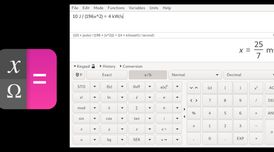 Qalculate! 5.10 improves factorization and adds new units and currencies
Qalculate! version 5.10 introduces enhanced factorization and simplification for various mathematic...

Recent activities
 aleke added Qalculate! as alternative to Last Calculator
 rprinku added Qalculate! as alternative to Paint Pro Calc
 OrdinaryPerson added Qalculate! as alternative to Qalculate! for Android
 dinesh-58 added Qalculate! as alternative to numr
 heavencanwait added Qalculate! as alternative to Calq.dev


Featured in Lists

After a fresh Windows installation, new users might get frustrated by the weakness of the default Microsoft apps. So, …

A list with 46 apps by rabbit5 without a description.

A list with 9 apps by lopsider without a description.
What is Qalculate!?
Qalculate! is a multi-purpose cross-platform desktop calculator. It is simple to use but provides power and versatility normally reserved for complicated math packages, as well as useful tools for everyday needs (such as currency conversion and percent calculation). Features include a large library of customizable functions, unit calculations and conversion, physical constants, symbolic calculations (including integrals and equations), arbitrary precision, uncertainty propagation, interval arithmetic, plotting, and a user-friendly interface (GTK+ and CLI).
Qalculate! information
Developed by
 Hanna Knutsson
 Licensing
Open Source and Free product.Rating
Average rating of 4.8Alternatives
115 alternatives listedSupported Languages
- English


Comments and Reviews
A very professional piece of software. It could be $20 no problem. Contribute people what you can, either code or money to the programmers.
Right off the bat, I noticed that the setup file for this is bigger than the one for SpeedCrunch
The setup wizard has an awfully classic look, kinda something from Windows XP or 98 (in my eyes at least). I ain't complaining about that though.
I ran into some complications with the setup; turns out it was because of where I set up the app (it won't work if I store the program files in the Local folder, only in the Program Files folder; fortunately, I can still set it to install for only one user).
After setup, though, this is an awesome calculator! I don't know what coth is on about it being "russophobic" or something like that. I can say though that it has no ads :) Chock-full of features with lots of functions, although I'll admit it's a lot, so you might be a little overwhelmed for the first few days or so. I recommend you take a look at the classic version first before you try the new one.
There's also a command-line version available for simplicity's sake.
Super advanced yet very user friendly with something of a rarity in that it asks what you want intended to calculate if there are any dubious interpretations in your input.
Great calculator. It's intuitive and does everything I want it to.
Everything I need in a calculator (hex number input included) in a UI that is nice to look at!
Unstarred. The app is russophobic and packed political ads
It is not like there are popups all the time or nagging text like in an android application. The only difference I could find from old versions seems to be the russian flag gone in the conversion. That may not be to your taste but the comment seems excessive.
Russophobic? Good.
Awesome, all features that a calculator could have.