
sonible pure:unmask icon

sonible pure:unmask

pure:unmask effortlessly tidies up your mix and prevents, thanks to spectral unmasking, any audio interference in the frequency spectrum between two tracks.
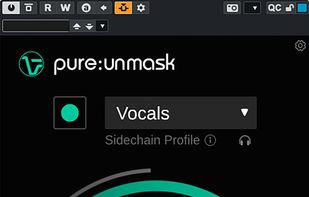
sonible pure:unmask screenshot 1

Cost / License

  • Pay once
  • Proprietary

Platforms

  • Mac
  • Windows
0likes
0comments
0articles

Features

No features, maybe you want to suggest one?

sonible pure:unmask News & Activities

Highlights All activities

Recent activities

sonible pure:unmask information

  • Developed by

    AT flagsonible
  • Licensing

    Proprietary and Commercial product.
  • Pricing

    One time purchase (perpetual license) that costs up to $39.
  • Alternatives

    4 alternatives listed
  • Supported Languages

    • English
sonible pure:unmask was added to AlternativeTo by alternativet0 on and this page was last updated .
No comments or reviews, maybe you want to be first?

What is sonible pure:unmask?

pure:unmask effortlessly tidies up your mix and prevents, thanks to spectral unmasking, any audio interference in the frequency spectrum between two tracks.

Automatic parametrization for high-quality results Sidechain-specific profiles Unmasking and range control, resolution and speed adaptation

Creating space within one track for another: Intelligent sidechain profiles for well-defined sounds Achieve pro-grade results without any fuss pure:unmask makes short work of one of mixing’s most vital components – finding space within one track for another – with minimal setup. All you have to do is load pure:unmask on the channel that needs to make space, route a sidechain input from the prioritized channel and then select a profile that fits the sidechain signal.

Spectral unmasking for incredible audio clarity Clear as a bell, quick as a flash AI-powered processing and spectral unmasking are the driving forces behind pure:unmask. Together, these technologies are able to perfectly combine two competing elements of a mix without any pumping artifacts.

Highly effective and simple controls Respecting your sonic vision The processing can be refined via four controls. Unmasking is the large central knob that lets you increase or decrease the overall effect. Resolution allows you to define the width of the spectral processing bands at work. The Speed parameter lets you either shorten or lengthen attack and release times; effectively tailoring the unmasking effect to slower, harmonic contexts (piano vs guitar) or to faster, rhythmic contexts (kick vs bass). You can even restrict the unmasking process to within a given low-frequency and high-frequency range using the Range control.

Official Links
