PScreen icon
PScreen icon

PScreen

PScreen provides a convenient way to take screenshots and now available as a menu bar application.
PScreen screenshot 1

Cost / License

  • Pay once
  • Proprietary

Platforms

  • Mac
PScreen screenshot 1
PScreen screenshot 2
+1
PScreen screenshot 3
0likes
0comments
0alternatives
0articles

Features

  1.  Sits in the MenuBar

PScreen News & Activities

Highlights All activities

Recent activities

No activities found.

PScreen information

  • Developed by

    US flagApps Fab
  • Licensing

    Proprietary and Commercial product.
  • Pricing

    One time purchase (perpetual license) that costs $3.
  • Alternatives

    0 alternatives listed
  • Supported Languages

    • English

AlternativeTo Category

Photos & Graphics
PScreen was added to AlternativeTo by Paul on and this page was last updated .
No comments or reviews, maybe you want to be first?

What is PScreen?

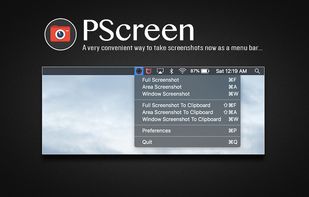
A very convenient way to take screenshots and now available as a menu bar application.

This initial release is fully supported with macOS High Sierra and includes the following features:

  • “Full Screenshot” option to take screenshots of the entire screen.
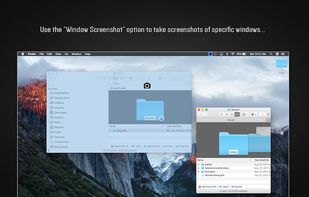
  • “Window Screenshot” option to take screenshots of specific windows.
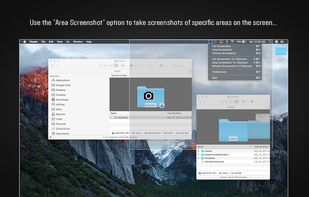
  • “Area Screenshot” option to take screenshots of specific areas on the screen.
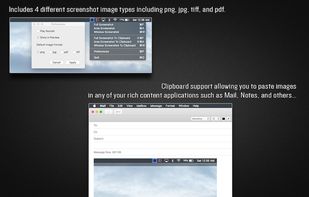
  • Clipboard support allowing you to paste images to any of your rich content applications such as Mail, Notes, and others.
  • Includes 4 different screenshot image types including png, jpg, tiff, and pdf that can be set under preferences.
  • Play sounds during screenshots can be toggle on and off in preferences.
  • Show screenshots preview can also be toggle on and off in preferences.

Official Links