PromoForge Smart Campaigns for WooCommerce is a powerful WooCommerce discount plugin that lets you create structured Flash Sales, BOGO deals, scheduled offers, and special URL-based promotions — without modifying global pricing rules.
If you are looking for a WooCommerce BOGO plugin, WooCommerce flash sale plugin, or an advanced WooCommerce discount rules system, PromoForge gives you full control over products, categories, timing, and campaign visibility.
Designed for real-world WooCommerce stores, PromoForge ensures discounts are applied correctly on the product page, cart, and checkout — without affecting global pricing rules.
Unlike simple discount plugins that override global pricing, PromoForge applies campaign-based pricing logic only where required.
PromoForge is built for WooCommerce store owners who want structured promotional campaigns — not just basic discounts.
With the Free version, you can easily configure up to 2 active Flash Offer campaigns. Upgrading to the Pro Add-on unlocks unlimited active campaigns, BOGO offers, scheduled events, countdown timers, and advanced reports!
Key Features
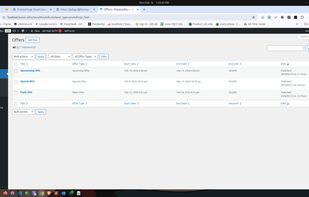
Flash Offers with category and product targeting (Free: 2 active campaigns)
Upcoming Offers with scheduled start and end dates (Pro Feature)
Special Offers displayed via shortcode (Pro Feature)
BOGO Offers / Buy One Get One / Buy X Get Y (Pro Feature)
Offer-specific pricing logic (no global price override)
Discounts applied on:
Product page
Cart page
Checkout page
AJAX-powered admin interface
Shortcode support for flexible placement
Secure and optimized architecture
Fully compatible with WooCommerce
Comprehensive Reports & Analytics dashboard (Pro Feature)
Offer Types
Flash Offers
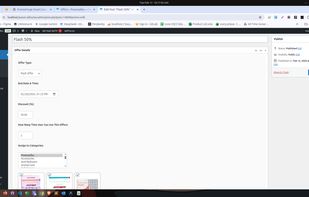
Create limited-time promotions with automatic expiration and pricing override logic. The Free version allows up to 2 active Flash Offer campaigns simultaneously.
Upcoming Offers (Pro Add-on)
Schedule campaigns to automatically activate and expire at a future date and time. Perfect for seasonal sales preparation.
Special Offers (Pro Add-on)
Create exclusive URL-based offers and display them using shortcodes. Discounts apply only when accessed through the specific offer link.
BOGO Offers (Pro Add-on)
Create Buy One Get One or Buy X Get Y campaigns with quantity-based discount rules applied directly in cart and checkout.
Reports & Analytics (Pro Add-on)
Detailed analytics dashboard to track performance for both Flash and BOGO offers. Includes revenue tracking, order counts, and discount statistics with date range filtering.
How It Works
Create an offer from the WordPress admin dashboard.
Select the offer type (Flash, Upcoming*, Special*, or BOGO*).
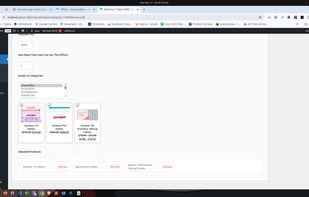
Choose products or categories.
Define discount rules.
The offer applies automatically based on configured conditions.
(*Requires Pro Upgrade)
Global Settings Panel
PromoForge includes a centralized settings panel where store owners can:






 Hiren Gediya
No comments or reviews, maybe you want to be first?