PowerDicom icon
PowerDicom icon

PowerDicom

Comprehensive DICOM solution offering file editing, image viewing, batch processing, file comparison, DICOMDIR creation, PACS integration, multi-format compression, syntax validation, customizable tags, speech functions, and supports all DICOM modalities.
PowerDicom screenshot 1

Cost / License

  • Paid
  • Proprietary

Application type

Platforms

  • Windows
2likes
0comments
0articles

Features

PowerDicom News & Activities

Highlights All activities

Recent activities

PowerDicom information

  • Developed by

    DE flagMHGS
  • Licensing

    Proprietary and Commercial product.
  • Alternatives

    3 alternatives listed
  • Supported Languages

    • English

AlternativeTo Categories

DevelopmentSport & Health

Popular alternatives

View all
PowerDicom was added to AlternativeTo by gentlesea on and this page was last updated .
No comments or reviews, maybe you want to be first?

What is PowerDicom?

PowerDicom is a comprehensive DICOM file management application. It offers functionalities such as DICOM and image editing, image viewing, a DICOM help system, and DICOM conversion. It also performs interactive and automated editing and functions as a DICOM Server for data management and communication in medical imaging.

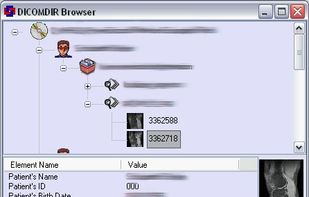
The application includes a DICOM Header Viewer and Editor, DICOM Image Viewer and Editor, and a DICOM File Comparator. It offers a DICOMDIR Creator, File Converter, Report Generator, PACS Interface, Modality Worklist SCU, Service Class Provider (SCP), and WADO support. PowerDicom also includes a DICOM Information System and a DICOM Toolkit. It supports all modalities and manufacturers, with single modality licenses available. It supports various formats and encodings.

PowerDicom provides features for editing, creating, and modifying DICOM files. It allows for simultaneous editing and saving of multiple files. Users can cut, copy, paste, delete, and insert DICOM tags on multiple files at once. Other features include a Hex Editor, support for editing nested sequences, export/import of value fields, and the ability to edit attribute values in an external editor. It also includes a speech interface with text-to-speech and continuous speech recognition capabilities.

