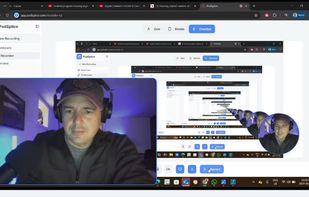
Podsplice is a browser-based recording studio and screen recorder for creators who want maximum ease of use without sacrificing professional quality. Record your screen, microphone, webcam, and system audio on separate tracks directly in your browser with no downloads, no complicated setup, and no OBS required.
Podsplice is built for creators, podcasters, educators, marketers, and businesses who need fast workflows and high-end results.
Easy to Use. High Quality by Design.
Many tools are either simple but low quality or powerful but frustrating to use. Podsplice was built to give you both.
192 kbps microphone audio for clear, rich voice recordings.
High-quality system audio capture for browser sound, videos, music, webinars, and presentations.
Clean internal audio recording with strong clarity and balanced loudness.
Normalized output targeting modern loudness standards (around -16 LUFS).
Separate tracks for maximum editing control.
Automatic track splicing and synced exports.
Fast browser-based workflow with no software install.
Best-in-Class System Audio Recording.
Most screen recorders struggle with internal computer audio. Podsplice captures system audio properly and reliably.
Record YouTube videos with live commentary.
Record Spotify or music playback.
Record Zoom meetings and calls.
Record browser tabs with sound.
Record SaaS demos with product audio.
Record online presentations and webinars.
This makes Podsplice ideal for reaction videos, commentary channels, tutorials, demos, and podcasts that need clean internal sound.
Separate Tracks + Automatic Splicing.
Podsplice records screen, microphone, webcam, and system audio on separate tracks for full editing control. Then Podsplice automatically syncs and splices those tracks together into clean exports, saving time and reducing technical headaches.
You get easier editing, better audio balancing, faster workflow, cleaner final videos, and more professional results.
Remote Podcast Recording.
Podsplice is ideal for remote podcasts and interviews. Capture each participant separately for cleaner edits and better sync.
AI Shorts Creator.
Turn long-form recordings into short clips for TikTok, Instagram Reels, YouTube Shorts, and social media with captions.







 wassgha added Podsplice as alternative to Rescript Editor
 PodcastorAI added Podsplice as alternative to Podcastor AI
 podsplice added alternatives


 Podsplice
No comments or reviews, maybe you want to be first?