Select any DOM element and copy it as a structured LLM prompt or Figma component
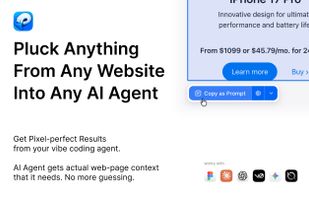
Pluck lets you copy any UI component from any website and paste it into your favorite AI coding tool — or directly into Figma. Stop describing designs in words. Just point, click, and paste. Pluck gives AI tools the full context they need to one-shot the implementation with 100% accuracy — no back-and-forth, no manual corrections.
HOW IT WORKS
- Install the extension and go to any website.
- Activate the picker and click the component you want — a button, card, navbar, hero section, footer, or entire page layout.
- Pluck captures everything: HTML structure, computed CSS styles, colors, spacing, fonts, layout, images, icons, and SVG assets.
- Copy it as a structured prompt or as an editable Figma layer.
- Paste into your AI tool or Figma and get a pixel-perfect recreation.
COPY MODES
Copy as LLM Prompt
Pluck extracts the full DOM structure with computed styles for every element — display, position, dimensions, margin, padding, colors, typography, flexbox, grid, borders, shadows, transforms, and more. It packages everything into a structured prompt that tells your AI tool exactly how to rebuild the component. You can target specific frameworks so the output matches your stack.
Copy to Figma (Unlimited plan)
Pluck converts the selected element into a clean SVG with precise text positioning, backgrounds, borders, border-radius, images, inline SVGs, and pseudo-elements. When you paste into Figma, you get fully editable vector layers — not a flat screenshot.
FRAMEWORK TARGETING
Tell Pluck what stack you use, and the generated prompt will instruct your AI tool to match:
CSS Frameworks: Auto, Tailwind CSS, CSS Modules, Styled Components, Vanilla Extract
UI Frameworks: Auto, React, Svelte, Vue, Solid, Qwik
When set to Auto, the prompt tells the AI to use whatever frameworks are already set up in your project.
WORKS WITH EVERY AI TOOL
Pluck generates prompts that work with any AI tool that accepts text input:
- Claude
- Cursor
- Lovable
- Bolt
- v0
- Any other AI coding agent
The structured format gives AI tools all the context they need to create an exact replica of any component.
WORKS ON AUTHENTICATED PAGES
Pluck runs in your browser, so it works on any page you can see — including dashboards, admin panels, and pages behind a login. If you can see it, you can pluck it.
WHAT CAN YOU PLUCK?
Anything visible on a webpage: buttons, cards, navigation bars, hero sections, pricing tables, footers, sidebars, modals, forms, entire page layouts. If it renders in the browser, Pluck can capture it.
HOW ACCURATE ARE THE COPIES?
Pluck captures exact colors, spacing, fonts, and layout for every element in the component tree. Each element gets its own computed style snapshot, giving AI tools enough detail to one-shot the implementation on the first try. No iterating, no tweaking — just paste and ship.






 EU
EU


 Paul added Pluck.so as alternative to transjt.ai, HTML to Figma, HTML to React & Figma, code.to.design and 2 more
 Quassum MB

No comments or reviews, maybe you want to be first?