Dynamic Mockups helps you create realistic mockups on autopilot?via bulk mockup generator API and integrations.


Placeit is described as 'Online tool for generating mockups, logos, and videos using customizable templates, drag-and-drop editing, and browser-based design features' and is a mockup generator in the photos & graphics category. There are more than 50 alternatives to Placeit, not only websites but also apps for a variety of platforms, including SaaS, Mac, Windows and iPhone apps. The best Placeit alternative is Shots, which is free. Other great sites and apps similar to Placeit are CleanSnap, Mockupanda, Renderforest and MockUPhone.
Dynamic Mockups helps you create realistic mockups on autopilot?via bulk mockup generator API and integrations.


REST API for PSD mockup rendering. Sub-second response times at $0.002 per render. Built for e-commerce and print-on-demand automation.


Screenshot Creation | App Icon | Metadata | App Store Preview | Translation | Publishing | Resources & more


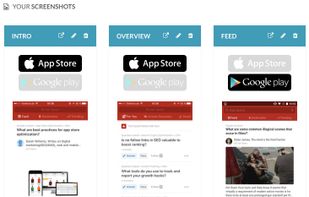
Create beautiful & trendy screenshots for App Store & Google Play pages (for Free). Simple to use & no design skills required.


Made by AppInstitute , the App Screenshot Maker is an easy-to-use web app for creating screenshots for use on app stores and for app marketing.


Mockup Bro is an online tool which can help you to create a mockup in three easy steps:

The photographic mockup generator, create realistic mockups for your website and mobile app in just 3 steps.


Mockup Editor is a quick tool to display your poster design in a beautiful setup. Get more poster sales when your poster is presented in a professional setup.


Create stunning auto bulk mockups in seconds with our free generator. Perfect for showcasing designs and print on demand stores. No skills required.


Mockfire is a great tool to create high quality mock-ups and present designs for social media and google banner ads more professionally.

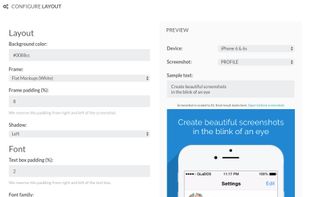
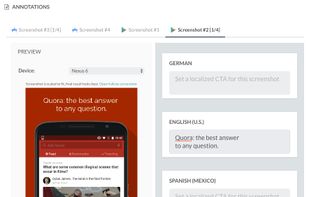
Create compelling screenshots for your mobile app through an intuitive mockup builder with gorgeous templates. Simply pick an app platform (App Store or Google Play), import your screenshot and configure the captions and other template options as you like.