Physcape Alternatives

Physcape is described as 'Physical escape key for macbooks with the Touch Bar' and is an app. There are more than 25 alternatives to Physcape for a variety of platforms, including Windows, Mac, Linux, AutoHotkey and X11 apps. The best Physcape alternative is AutoHotkey, which is both free and Open Source. Other great apps like Physcape are AutoIt, UI.Vision RPA, Karabiner Elements and SharpKeys.

Copy a direct link to this comment to your clipboard
Physcape alternatives page was last updated

Alternatives list

  1. Shortery icon
     1 like
    Copy a direct link to this comment to your clipboard

    Automates macOS Shortcuts with seven configurable triggers, including application launch or quit, system wake or sleep, scheduled times, login and logout, custom hotkeys, appearance mode changes, and power events, supporting complex automation for daily workflows.

    Cost / License

    • Freemium (Subscription)
    • Proprietary

    Application type

    Platforms

    • Mac
     
  2. Key Manager icon
     17 likes
    Copy a direct link to this comment to your clipboard

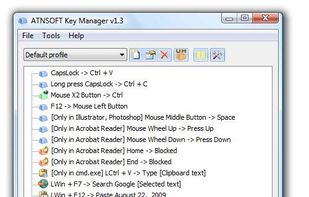
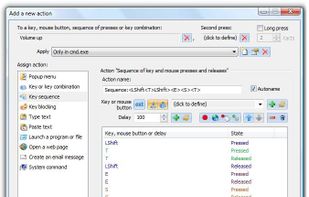
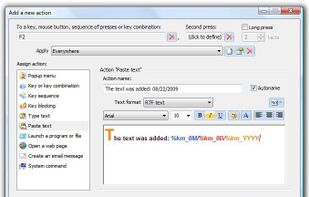
    Key Manager reveals the full potential of your keyboard and mouse and allows you to save time and efforts while working with your computer. Thanks to its flexible interface, you can now create various actions and execute them by pressing keys, mouse buttons and combinations of...

    71 Key Manager alternatives

    Cost / License

    • Paid
    • Proprietary

    Application type

    Platforms

    • Windows
     
  3. Copy a direct link to this comment to your clipboard

    A free light weight mouse macro that records mouse movements, clicks and keyboard entries. Mini Mouse Macro is totally free, no adds, no banners, no trial, free.

    Cost / License

    • Freemium (Pay once)
    • Proprietary

    Application type

    Platforms

    • Windows
     
  4. TouchCursor icon
     9 likes
    Copy a direct link to this comment to your clipboard

    TouchCursor lets you use the home keys as cursor keys – in all Windows programs – keeping your fingers in the best position for fast typing. Its free and open-source.

    Cost / License

    • Free
    • Open Source

    Application type

    Platforms

    • Windows
     
  5. Copy a direct link to this comment to your clipboard

    Do you want to remap keyboard keys with another key ? Do you want to remap mouse buttons ? Then try Key Remapper. With Key Remapper you can easily remap key or remap mouse buttons with another key, program, mouse button, custom text.

    Cost / License

    • Pay once
    • Proprietary

    Application type

    Platforms

    • Windows
     
  6. Ukelele icon
     11 likes
    Copy a direct link to this comment to your clipboard

    Graphical tool for editing macOS keyboard layouts with drag-and-drop assignment of Unicode characters, creation of dead keys, mapping character strings, visual feedback, native .keylayout support, and easy customization for scripts or special input needs.

    Cost / License

    • Free
    • Proprietary

    Application type

    Platforms

    • Mac
     
  7. Copy a direct link to this comment to your clipboard

    Windows Toolbar Creator and Launcher Software, With Buttoncommander you can Automate True Toolbars any sort of Computer Movements.

    Cost / License

    • Pay once
    • Proprietary

    Application type

    Platforms

    • Windows
    • AutoHotkey
     
  8. keystarter icon
     6 likes
    Copy a direct link to this comment to your clipboard

    keystarter automation software. you can make a set of 3d button icons with keystroke command scripts and create your own popup menus - clipboards or virtual keyboards.

    Cost / License

    • Freemium (Pay once)
    • Proprietary

    Application type

    Platforms

    • Windows
    • AutoHotkey
     
  9. Quick Macros icon
     9 likes
    Copy a direct link to this comment to your clipboard

    Quick Macros automates repetitive tasks, even the most complex. Your macros can press keys, click buttons, links, menu items, on-screen images and other UI objects, manage windows, run and manage files, wait for various events, show dialogs, send/receive internet files and...

    Cost / License

    • Paid
    • Proprietary

    Platforms

    • Windows
     
  10. Copy a direct link to this comment to your clipboard

    Multi Task Tool is a portable tool that, as its very name suggests, can be used to execute multiple tasks in Windows OS!

    Cost / License

    • Free
    • Proprietary

    Application type

    Platforms

    • Windows
     
You are at page 2 of Physcape alternatives