
Photo Scanner | Save Memories
Photo Scanner is a Mac app for scanning and digitizing printed photos, old family albums, vintage prints, and shoeboxes of analog memories. It helps turn physical photo collections into organized digital libraries that can be saved, edited, and exported to modern photo apps.
Cost / License
- Freemium (Pay once or Subscription)
- Proprietary
Platforms
- Mac
- iPhone
- iPad


Photo Scanner | Save Memories
Features
Properties
- Lightweight
- Privacy focused
Features
- Ad-free
- No registration required
- Works Offline
- Dark Mode
- Built-in viewer
- Mobile Scanner
- Photo scan
Apple Photos integration
- Image Restoration Tools
Tags
- digitize-old-photos
- apple-photos-export
- photo-scanning-app
- analog-photography
- old-photos
- restore-old-photos
- iosapps
- photos
- iOS
- photo-archive
- iphone-apps
- ios-apps
- Photo Editing
- iphone-photo-scanner
- family-photos
- batch-scanning
- old-photo-restoration
- photo-scanner
- vintage-photos
- scan-printed-photos
- Metadata
- mac-app
- photo-scanning
- MacOs
- iphone-companion
- digitize-photos
- mac-photo-scanner
- apple-photos
Photo Scanner | Save Memories News & Activities
Recent activities
- alfaline-apps added Photo Scanner | Save Memories
alfaline-apps added Photo Scanner | Save Memories as alternative to Photomyne and Google PhotoScan
Photo Scanner | Save Memories information
What is Photo Scanner | Save Memories?
Photo Scanner is a Mac app for scanning and digitizing printed photos, old family albums, vintage prints, and shoeboxes of analog memories. It helps turn physical photo collections into organized digital libraries that can be saved, edited, and exported to modern photo apps.
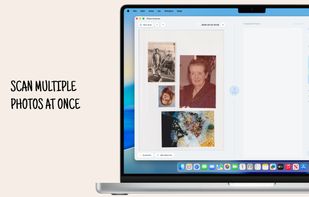
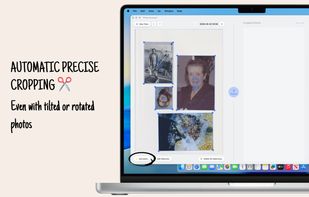
The app supports more than 9,000 scanner models and allows users to scan multiple photos at once with batch scanning. Photos can be cropped, adjusted, and corrected with flexible cropping and perspective tools, including support for rotated or stretched images.
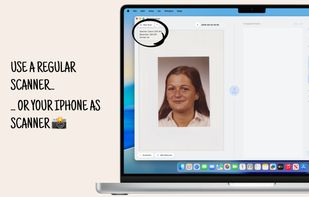
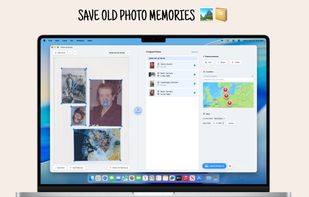
Photo Scanner also lets users add or update metadata to keep their collection organized, then export the results to Apple Photos, Google Photos, folders, external drives, or other photo libraries. For users without a scanner, the iOS companion app can be used to capture photos with an iPhone and continue editing them on the Mac.
Privacy is built in: photos scanned or cropped with the app remain on the user’s device and are not shared with the developer.
Key features include batch photo scanning, support for thousands of scanner models, flexible cropping, perspective correction, metadata editing, Apple Photos export, iPhone companion scanning, Dark Mode, and a lightweight Mac app size under 10 MB.
Photo Scanner is useful for preserving family albums, digitizing vintage prints, organizing inherited photo collections, archiving old memories, and sharing scanned photos with family and friends.