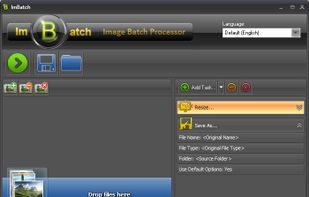
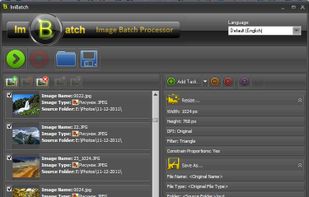
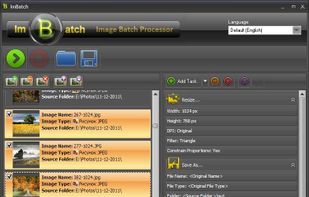
ImBatch is a batch image processor with a nice graphical user interface. It will allow you to edit multiple image files at the click of a button by using scripts. The script will be created by combining Tasks.


Photo Resizer HD is described as 'Is simple and easy to use application for resizing single and multiple images' and is an app in the photos & graphics category. There are more than 50 alternatives to Photo Resizer HD for a variety of platforms, including Windows, Web-based, Mac, Linux and Android apps. The best Photo Resizer HD alternative is Image Toolbox, which is both free and Open Source. Other great apps like Photo Resizer HD are Caesium Image Compressor, Converseen, Switcheroo Image Manipulation and FastStone Photo Resizer.
ImBatch is a batch image processor with a nice graphical user interface. It will allow you to edit multiple image files at the click of a button by using scripts. The script will be created by combining Tasks.


PixTrim is a simple online tool to resize, crop, compress, convert, flip, and rotate images in popular formats like JPG, PNG, WebP, AVIF, and HEIC — all for free and right in your browser.


Fotosizer is a freeware batch image resizer tool. It resizes your photos in just 3 easy steps - 1. Photo selection, 2. select resize settings, then 3. Start the resize!


Ralpha Image Resizer is a lightweight and portable program that can perform image operations in batch mode, such as resizing and applying filters.

Free Image Convert and Resize is a compact yet powerful program for batch mode image processing.

Shrink O'Matic is an AIR application to easily (batch) resize (shrink) images. It handles JPGs, GIFs and PNGs.

NConvert is a powerful command line multi-platform batch image processor with more than 80 commands. Compatible with 500 image formats.

Send Reduced lets you send reduced resolution photos by email with the minimum number of taps. When sharing a photo, just choose "Send Reduced". The first time, you'll have to choose the email (or other) app you want to use with it, but if you set the checkmark to...

With BIMP you can apply a set of manipulations to an entire group of images! It provides an easy to use interface and a lot of batch functions.


Split multiple pictures into specified number of slices by rows and columns or into tiles of desired size. Use over 130 Actions like resize, crop, contrast, etc. Convert to/from and save results in any of 30+ formats. Add watermarks and more!.


Compress or convert images on the web with offline support. Images are not uploaded on server and processed on client with webassembly. Support for formats like JPEG, PNG, WebP, AVIF and JXL.

Bulk Resize Photos resizes batches of your photos in your browser so that they are a more suitable size for transmission over the internet.