


PDFShift
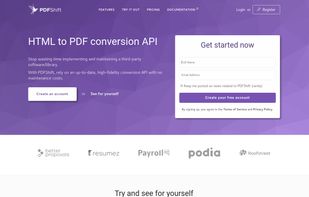
Convert any HTML documents to PDF with a single POST request.

Cost / License
- Free Personal
- Proprietary
Platforms
- Mac
- Windows
- Linux
- Online


Features
PDFShift News & Activities
Recent News
No news, maybe you know any news worth sharing?
Recent activities
I am using PDFShift for 3 months now. Never have I ever seen any error message. The PDF documents have perfect print setting to A4 pages and comes out very professionally without any glitches. Fantastic work by the entire team.
 Josh Peters added PDFShift as alternative to HTML to PDF API
I Really like it it saves me a lot of time! and is super fast
- Support-Flowzy liked PDFShift
- stephane-pluymers A comment was removed from PDFShift
PDFshift has been great for our Invoice platform build. It produces perfect PDFs every time with detailed elements.
We use PDFShift to generate our customer reports (heat pump quotes, technical site visit reports) directly from HTML templates. Setup took a few minutes: one API call, and the PDF comes out exactly like the page renders in Chrome, with our fonts, logos and page breaks respected. No server to maintain, no headless browser to babysit on our shared hosting. Reliable, fast, and the pricing is fair for a small business. Recommended if you already build your documents in HTML/CSS.
 Zeyad-Obaia added PDFShift as alternative to pdfs.build
- commented on PDFShift
HTML conversion to PDF using PDFshift was extremely easy. Good tool to use.


Developed by
 PDFShift
 Licensing
Proprietary and Free Personal product.Pricing
Subscription that costs up to $99 per month.Alternatives
54 alternatives listedBadge
Get an embeddable badge for PDFShiftSupported Languages


Comments and Reviews
I am using PDFShift for 3 months now. Never have I ever seen any error message. The PDF documents have perfect print setting to A4 pages and comes out very professionally without any glitches. Fantastic work by the entire team.
I Really like it it saves me a lot of time! and is super fast
PDFshift has been great for our Invoice platform build. It produces perfect PDFs every time with detailed elements.
We use PDFShift to generate our customer reports (heat pump quotes, technical site visit reports) directly from HTML templates. Setup took a few minutes: one API call, and the PDF comes out exactly like the page renders in Chrome, with our fonts, logos and page breaks respected. No server to maintain, no headless browser to babysit on our shared hosting. Reliable, fast, and the pricing is fair for a small business. Recommended if you already build your documents in HTML/CSS.
HTML conversion to PDF using PDFshift was extremely easy. Good tool to use.
I use PDFShift to generate PDF documents for my platform built on Bubble.io client invoices and payment request recaps, via the API Connector in backend workflows. Before PDFShift, I had rendering issues with screenshot-based tools, due to timing problems with Bubble's page rendering (the PDF would sometimes generate before the page had finished loading). PDFShift's server-side HTML injection solved this completely. One feature that really helped: the page-break-before CSS property, which lets me combine multiple documents (service invoice + commission invoice) into a single multi-page PDF with one API call, instead of making multiple requests this cuts my API call costs in half for this use case. I'm still in the testing phase before launch (a French freelance marketplace platform), so I don't have feedback on high volume yet, but for reliability and ease of integration via the Bubble API Connector, it's exactly what I needed.
I needed HTML converted to PDF and PDFshift was extremely easy! My first request worked and have yet to have an issue. It also has some nice features, like footers, which works without issue! Highly recommend.