PDF Tinkerer Alternatives

PDF Tinkerer is described as 'This desktop app reads and writes PDF documents. It was created for a small copy shop in Germany. Features of this application are:' and is a PDF Reader in the office & productivity category. There are more than 50 alternatives to PDF Tinkerer for a variety of platforms, including Windows, Mac, Web-based, iPad and Linux apps. The best PDF Tinkerer alternative is PDF Arranger, which is both free and Open Source. Other great apps like PDF Tinkerer are PDF-XChange Editor, PDF24 Creator, PDFsam and Adobe Acrobat DC.

Copy a direct link to this comment to your clipboard
PDF Tinkerer alternatives page was last updated

Alternatives list

  1. Copy a direct link to this comment to your clipboard

    [The demo version adds a watermark to every page when you save the file.]

    Edit PDF files now! How do you change existing PDF files? You dont know how? It is easy to edit existing PDF files with PDF Editor! You can add text in any font you want or change existing text to correct.

    Cost / License

    • Freemium
    • Proprietary

    Application type

    Platforms

    • Windows
     
  2. Copy a direct link to this comment to your clipboard

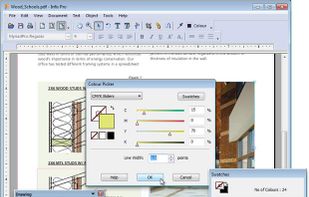
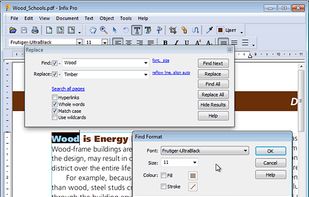
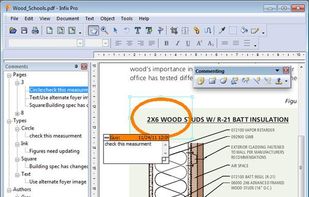
    Infix PDF editor lets you open, edit and save PDF files. It’s easy and quick – you can change text, fonts, images and more. And, unlike other PDF editors, it works like normal word processing software, so it’s really easy to use.

    87 Infix PDF Editor alternatives

    Cost / License

    • Paid
    • Proprietary

    Application types

    Platforms

    • Mac
    • Windows
     
  3. VivPDF Editor icon
     2 likes
    Copy a direct link to this comment to your clipboard

    It's virtually the fastest solution for users to edit PDF documents in any circumstances, all you need to do is several clicks!.

    Cost / License

    • Pay once
    • Proprietary

    Application type

    Platforms

    • Windows
     
  4. Copy a direct link to this comment to your clipboard

    Edit, convert, annotate, protect, merge, split, compress, and sign PDF files on Mac.

    Cost / License

    • Paid
    • Proprietary

    Application type

    Platforms

    • Mac
     
  5. Copy a direct link to this comment to your clipboard

    A complete suite of free tools for conversion, shaping and protection of your PDF documents. The software operates in batch mode, allowing users to process multiple PDF files. The interface is modern and intuitive; this makes it easy to use the program for both advanced users...

    Cost / License

    • Free
    • Proprietary

    Application type

    Platforms

    • Windows
     
  6. SimPDF icon
     2 likes
    Copy a direct link to this comment to your clipboard

    SimPDF lets you edit PDF documents like a word document. Never before editing a PDF had been so easy!

    Cost / License

    • Free
    • Proprietary

    Application type

    Alerts

    • Discontinued

    Platforms

    • Online
    • Software as a Service (SaaS)
     
  7. Copy a direct link to this comment to your clipboard

    Speedpdf Editor is an easy-to-use and full-featured PDF editor. Support one-click paragraph editing, say goodbye to tedious and time-consuming single-line editing; automatically recognize fonts, saving time and effort; full text annotation can make it easier for you to read...

    Cost / License

    • Freemium (Pay once)
    • Proprietary

    Application types

    Platforms

    • Windows
     
  8. Copy a direct link to this comment to your clipboard

    VeryPDF PDF Editor is an easy-to-use application designed for users familiar with Microsoft Office and similar applications. VeryPDF PDF Editor provides tools to enable you freely write your own comments to the PDF document and share the comments with others.

    Cost / License

    • Paid
    • Proprietary

    Application type

    Platforms

    • Windows
     
  9. Copy a direct link to this comment to your clipboard

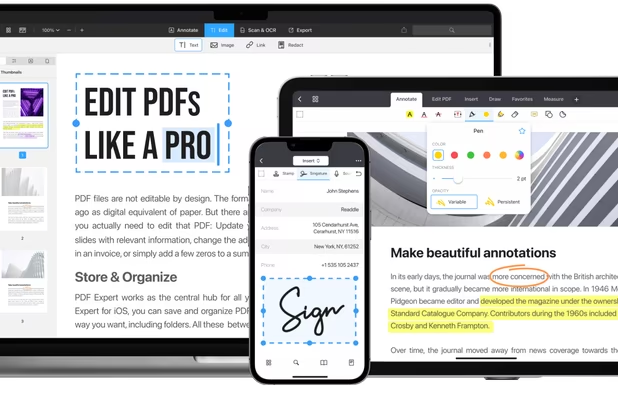
    PDF Max is a desktop class PDF app for reading, annotating or signing PDF documents on your iPhone/iPad. Mark up documents with highlights and handwriting, insert texts and stamps, fill out, sign PDFs and even manipulate PDF pages.

    Cost / License

    • Pay once
    • Proprietary

    Application types

    Platforms

    • iPhone
    • iPad
     
  10. PDF WIZ icon
     Like
    Copy a direct link to this comment to your clipboard

    PDF WIZ is an offline PDF converter that converts PDF to Word/PPT/Excel, images, merge, split or compress PDF or remove PDF password, and more.

    Cost / License

    • Subscription
    • Proprietary

    Platforms

    • Windows
     
  11. Proview icon
     1 like
    Copy a direct link to this comment to your clipboard

    PDF Editor for Mac OS X: Split, Merge, Encrypt, Scale, Stamp, Bookmark, Add Text etc.

    Cost / License

    • Paid
    • Proprietary

    Application type

    Platforms

    • Mac
     
  12. Copy a direct link to this comment to your clipboard

    Easy PDF is a powerful yet user-friendly online platform that provides a comprehensive suite of tools for all your PDF needs. Whether you need to edit, convert, merge, split, or perform any other operation on your PDF files, Easy PDF has got you covered.

    Cost / License

    • Free
    • Proprietary

    Application type

    Platforms

    • Online
     
You are at page 4 of PDF Tinkerer alternatives