
PBRS icon
PBRS icon

PBRS

Windows software automates scheduled Power BI and SSRS reporting, personalizing filters, recipients, formats and filenames from data. It exports and packages reports as emails, ZIP files, PDFs or Excel workbooks, then delivers them securely through file systems.
PBRS screenshot 1

Cost / License

  • Subscription
  • Proprietary

Platforms

  • Windows
0likes
0articles
Save

PBRS News & Activities

Highlights All activities

Recent activities

PBRS information

AlternativeTo Category

Office & Productivity

Popular alternatives

View all
PBRS was added to AlternativeTo by Christian Ofori-Boateng on and this page was last updated . PBRS is sometimes referred to as Power BI Report Scheduler. 

No comments or reviews, maybe you want to be first?

What is PBRS?

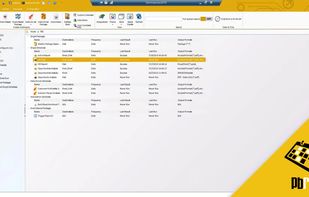
PBRS (Power BI Report Scheduler) is a Windows application that automates report creation and distribution for platforms like Power BI Service, Power BI Paginated Reports, Power BI Report Server, and Microsoft SQL Server Reporting Services (SSRS). It provides scheduling, personalization, exporting, packaging, and delivery features. It can automate tasks such as recurring customer reports, management packs, financial workbooks, and location-specific deliveries.

PBRS can execute reports based on schedules or business calendars, respond to database changes, file activity, unread emails, or received data, and refresh Power BI datasets before generating reports. It uses SQL query results or JSON data for personalization and report bursting.

The software supports packaging and exports in various formats such as PDF, Excel, CSV, Word, PowerPoint, HTML, and images. It can deliver multiple reports in one email, collect files in a ZIP archive, merge PDFs, or combine Excel outputs. It offers security features like PDF passwords, encryption, document permissions, watermarks, expiry settings, and protection for Excel workbooks and ZIP packages. It delivers outputs through channels like email, Teams, Slack, SharePoint, OneDrive, Google Drive, Dropbox, FTP, SFTP, network folders, and printers.

PBRS operates unattended through a Windows service, with execution history, notifications, blank-report handling, and configurable retries. It has Windows and web interfaces for schedule management, and a REST API for managing schedules, initiating execution, and monitoring results. The software can be installed within an organization's environment, with varying Microsoft licensing requirements and capabilities.

PBRS Videos