



Palit ThunderMaster
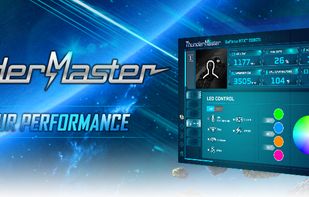
Palit - ThunderMaster is a utility that allows you to customize your Palit graphics card settings, such as overclocking, fan speed, RGB lighting and more. You can also monitor your GPU status and temperature with the utility.
Cost / License
- Free
- Proprietary
Platforms
- Windows

Features
- GPU Acceleration
Tags
- gpu-fan
- gpu-bios
Palit ThunderMaster News & Activities
Recent activities
Palit ThunderMaster information
Developed by
 Palit Microsystems Ltd.
 Licensing
Proprietary and Free product.Alternatives
1 alternatives listedSupported Languages
- English
- German
- French
- Russian
- Korean
- Polish
- Turkish

What is Palit ThunderMaster?
Palit’s new ThunderMaster had a thorough upgrade from the previous version. It has a more user-friendly interface as well as more personalized settings. With ThunderMaster, you can control your video card from overclocking settings, fan speed, to RGB effects. You can also monitor your GPU status with the ThunderMaster utility. OVERVIEW New ThunderMaster Key Features User-friendly interface: Less pop up screens. Can manage almost all the settings in a single page. Personalized settings: Can save up to 6 different profiles. Free to choose your own profile pictures and the data you want to show on main information panel. MAIN PAGE Customizable Profile Picture, Information Display Panel & Screen Size Choose the profile picture and the data you want to show on the main panel by clicking the boxes. You can select 8 out of 15 data options to be shown on the panel. Five screen sizes are available. Drag the adjustable bar, select the size that fits your monitor, and enjoy the best utility experience.