Originate icon
Originate icon

Originate

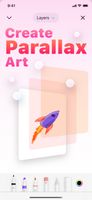
Originate is a parallax art app built with iOS design guidelines in mind. Create up to five layers of art, and watch it come to life as you tilt and move your device around or view it in AR. You can also share your creations, and import other users' art (and edit it).
Originate screenshot 1

Cost / License

  • Pay once
  • Proprietary

Platforms

  • iPhone
  • iPad
Originate screenshot 1
Originate screenshot 2
+3
Originate screenshot 3
0likes
0comments
0alternatives
0articles

Features

No features, maybe you want to suggest one?

Originate News & Activities

Highlights All activities

Recent activities

No activities found.

Originate information

  • Developed by

    PoeticBytes
  • Licensing

    Proprietary and Commercial product.
  • Pricing

    One time purchase (perpetual license) that costs $3.
  • Alternatives

    0 alternatives listed
  • Supported Languages

    • English
    • Japanese
    • Russian
    • Chinese
    • Spanish

Apple AppStore

  •   Updated 
  •   3.78 avg rating
View in AppStore
Originate was added to AlternativeTo by Paul on and this page was last updated .
No comments or reviews, maybe you want to be first?

What is Originate?

Originate is a parallax art app built with iOS design guidelines in mind. Create up to five layers of art, and watch it come to life as you tilt and move your device around or view it in AR. You can also share your creations, and import other users' art (and edit it). Create your best art.
Key features:

  • Beautiful interface
  • Create parallax art on your device
  • Place art in AR
  • PencilKit support
  • Add images to layers
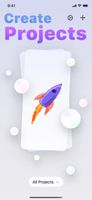
  • Drag cards around to navigate through projects
  • Adjust parallax amounts
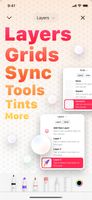
  • Layers and grids
  • Intuitive gestures to undo/redo and switch between layers
  • Share images or custom files
  • Import Originate files to view and edit other users' creations
  • iCloud sync
  • Dark Mode support
  • iPad cursor support
  • Haptics support
  • Alternative app icons
  • Context Menus to perform quick actions
  • Home screen Quick Actions
  • Available on iPhone and iPad